

 13 articles
Last Train Home is a very tough game as is fitting of its war-torn setting, so you’ll want to make sure to save often to avoid losing progress.
We all know how devastating it can be to lose progress in a challenging game because we forgot to save. It can sap your willingness to keep playing the game at all, sometimes!
In this guide, we’ll tell you everything you need to know to save your game in Last Train Home.
How to Save in Last Train Home
There are multiple ways to save in Last Train Home, with one being the Save & Quit method and the other being the Quicksave method. Of course, the game also autosaves periodically just in case!
 Last Train Home: Which Car To Get?Dec 6, 2023
 Last Train Home: Which Way After Penza – North or South?Dec 5, 2023
 Last Train Home: Are Maps Random?Dec 3, 2023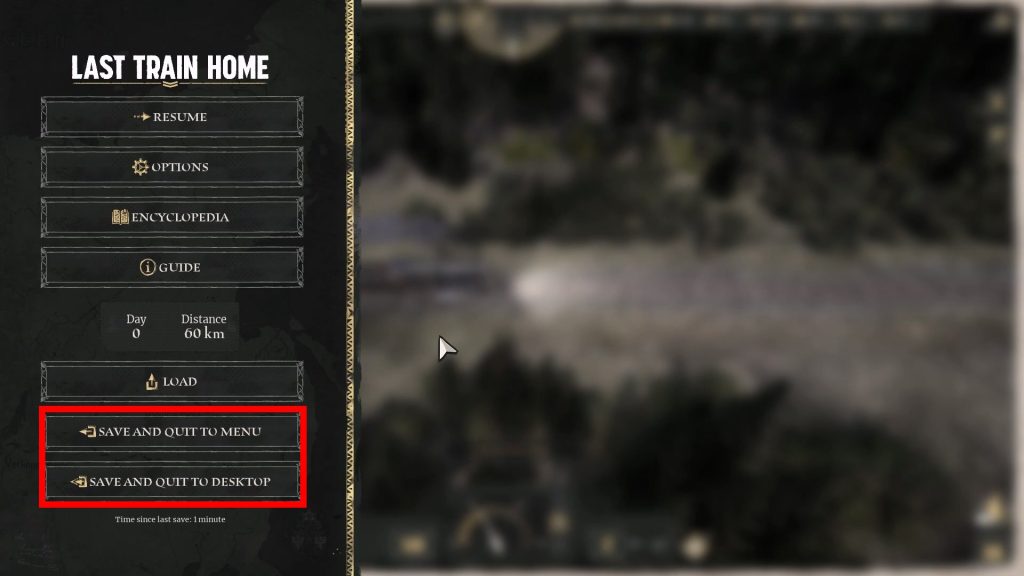
To save and quit, you’ll just need to press the Escape key to bring up Last Train Home’s pause menu.
You can either choose “Save and Quit to Menu” to return to the title screen menu or “Save and Quit to Desktop” to close the game entirely.
This is obviously the best way to save if you’re done gaming and want to close the game. Make sure to use this method anytime you’re done playing Last Train Home so you don’t lose progress!
As for the Quicksave method, it works similarly to many other PC games. You just need to press the F5 key at any point in the game. Keep in mind that the game might disable quicksaving at times, though!
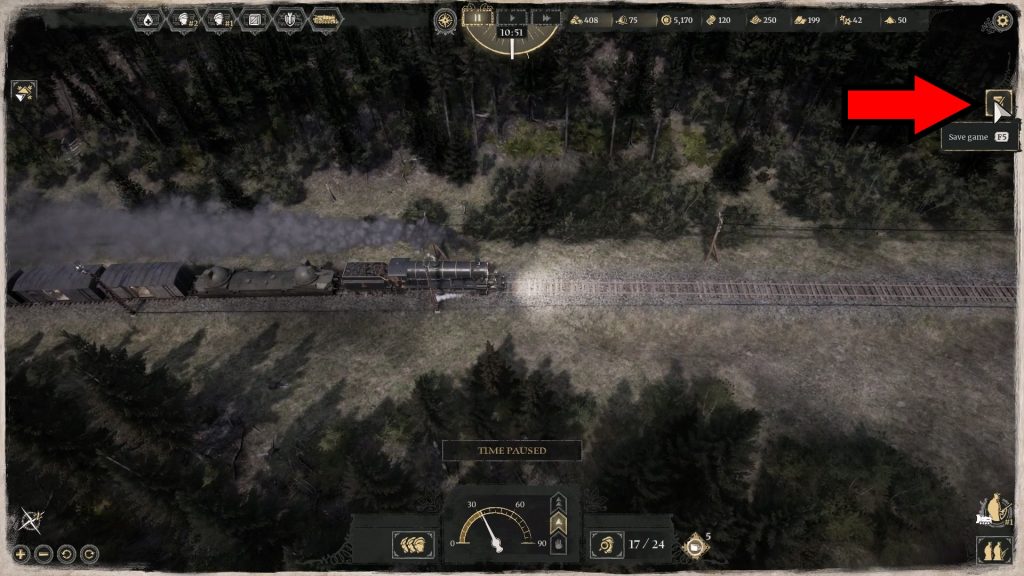
Alternatively, you can click on the save icon on the right edge of the screen, represented by a sheet of paper with a pen. This will save the game instantly without interrupting gameplay, so you don’t need to stop playing!
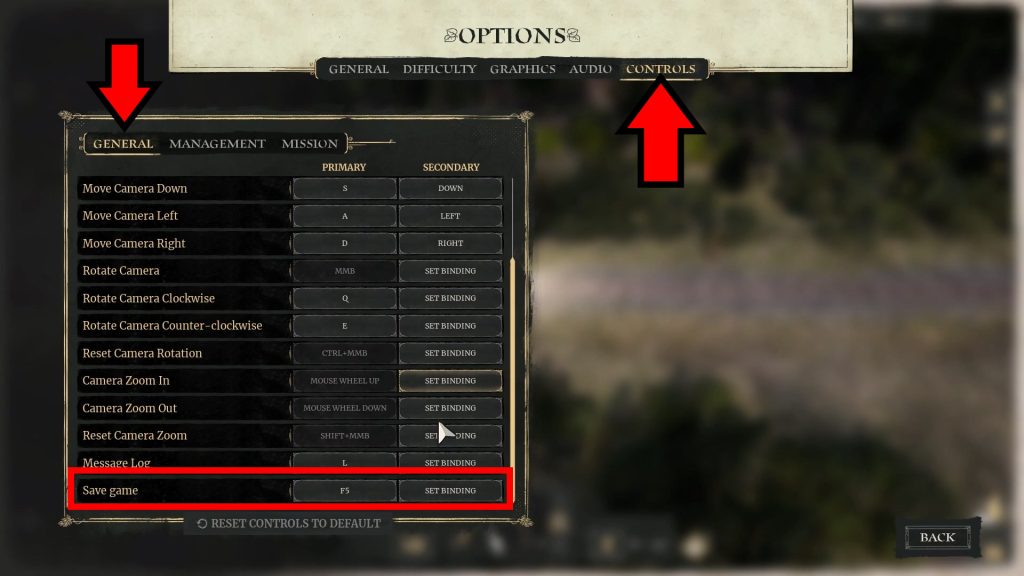
You can even customize the key bind and change it to something besides F5. You’ll find the setting in the game’s Controls option, under the General keys tab.
Make sure to keep both of these saving methods in mind so you never lose any of your hard-earned progress in Last Train Home!
ALSO READ: Last Train Home: How To Heal Injured Soldiers In The Train