60 articles
The Mixing Station is one of the most valuable pieces of equipment you can use in Schedule 1.
If you’re tired of peddling the same tired old drugs, the Mixing Station is your best ally. Combine the products you have already with various items to produce brand-new strains! These can have some extremely unique effects and be much more profitable than raw products.
In this guide, we’ll tell you how to get started with the Mixing Station.
How to Use Mixing Station | Schedule 1
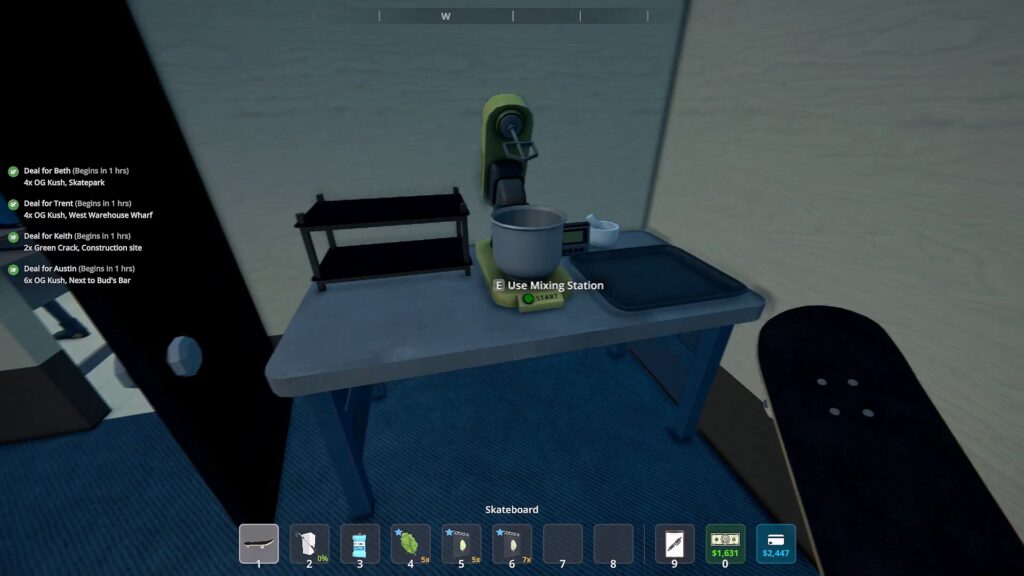
You can get a Mixing Station as soon as you unlock the first dealer in the game, Benji. This happens naturally as part of the story once you have 10 customers. At that point, Uncle Nelson will let you know that Dan’s Hardware Store now sells Mixing Stations. Buy one for $500 and place it in one of your safe houses.
 Fully Automated Coca Docks Warehouse Build – Schedule 1Mar 20, 2026
 How to Get Watch & Chains in Schedule 1 | Jewelry Shop LocationMay 13, 2026
 West Bridge Location in Schedule 1 – Under the West BridgeApr 8, 2025
Do note that you can only mix 1 Product at a time with this basic Mixing Station.
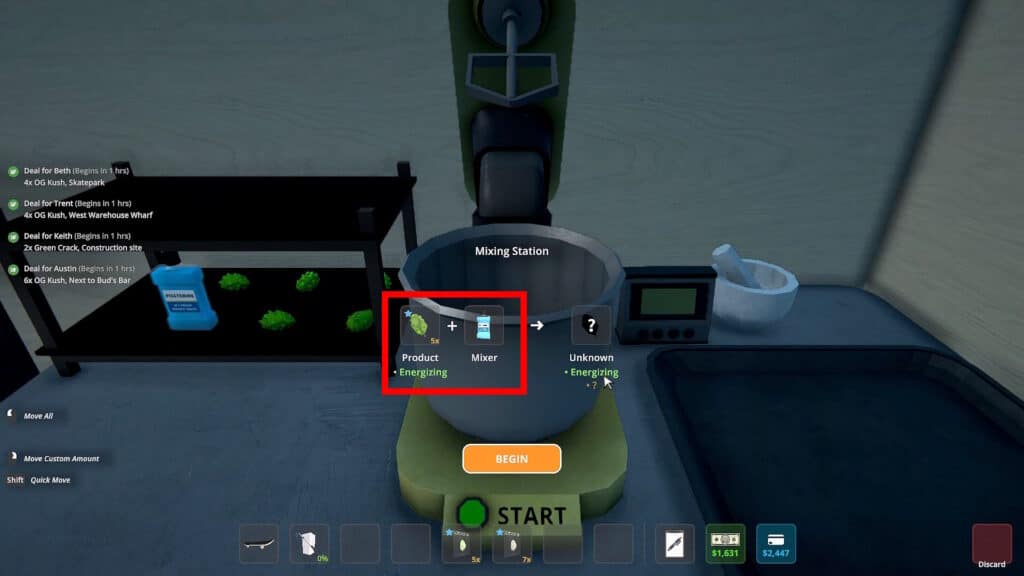
When you’ve got all of that ready, approach the Mixing Station and interact with it. To start mixing, you’ll need to provide 1 Product and 1 Mixer.
If you’re early in the game, Product just means weed. Later on, you’ll get access to other drugs, like coke and meth, which also count as Product.
Mixers, on the other hand, are basically common items. Things like bananas, mouthwash, pills like iodine, gasoline, etc. Most of these items are available from the Gas-Mart shop.
Once you have both types of ingredients, just place them in the respective spots, as shown in the example above. Then click on the Begin button.
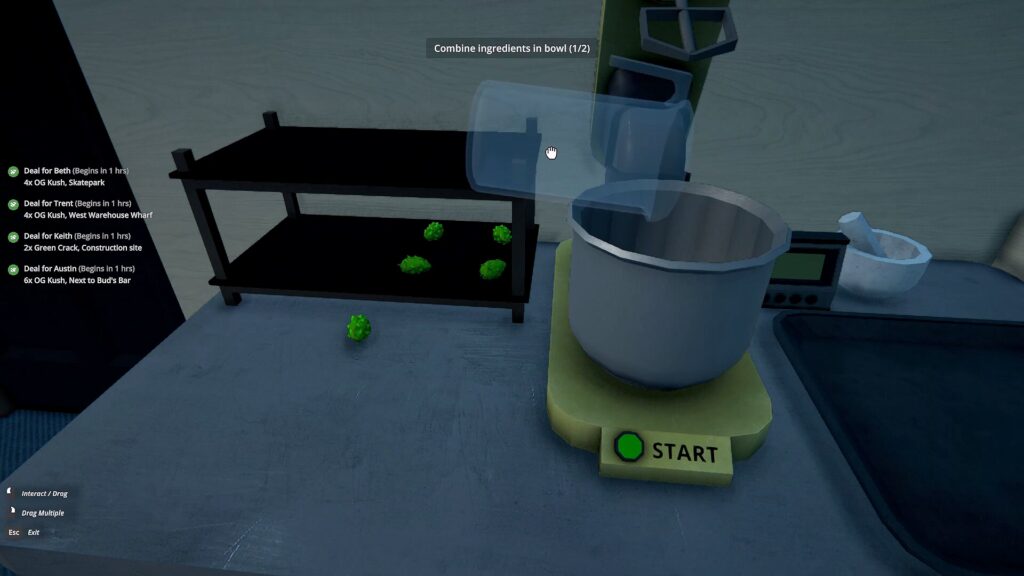
You’ll now need to manually add the items to the Mixing Station’s bowl. Use your mouse to drag them and throw them into the bowl, then press the Start button.
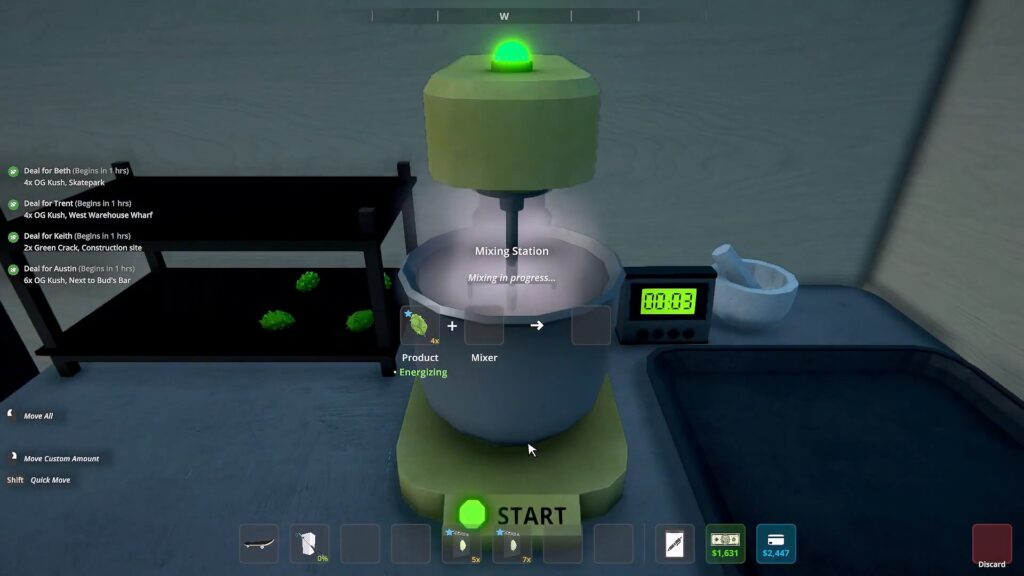
While the mixing is in progress, just wait for the countdown on the timer to the right of the bowl. Your mix will be completed as soon as the timer reaches 0, so just wait for it to be done and you’ll see the result of your mix!
So, there you have it, that’s how to use the Mixing Station in Schedule 1. To get you started, we also have a guide with some of the best grass mixes in the game!