

 55 articles
The Voyagers update is here for No Man’s Sky, allowing you to get the new Corvette ship class. This is a brand new type of ship that’s bigger than regular Starships. Its size allows you to walk inside and explore it on foot. Of course, that also means that the ship’s interior is highly customizable, not just the exterior! Ready to get started with your very own Corvette-class ship? Read on for all the details.
How to Get New Corvette Ship | No Man’s Sky Voyagers Update
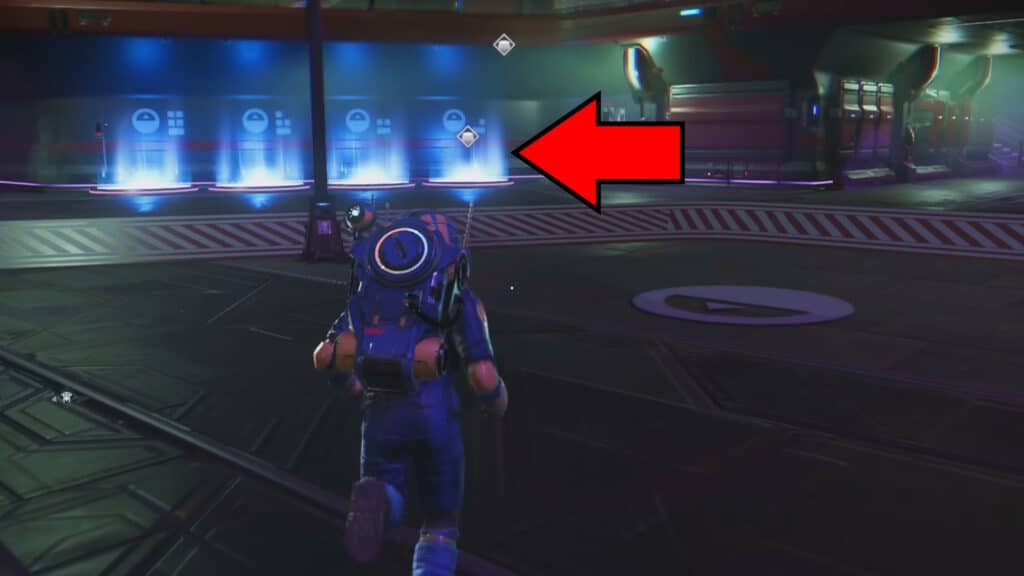
To start the process of making one of the new Corvette-class ships, you need to go to any Space Station. Any Space Station in the vast universe will work! Once you get there, look for the 4 blue teleporters shown above. They should be in the station’s landing bay, so they’re pretty easy to spot.
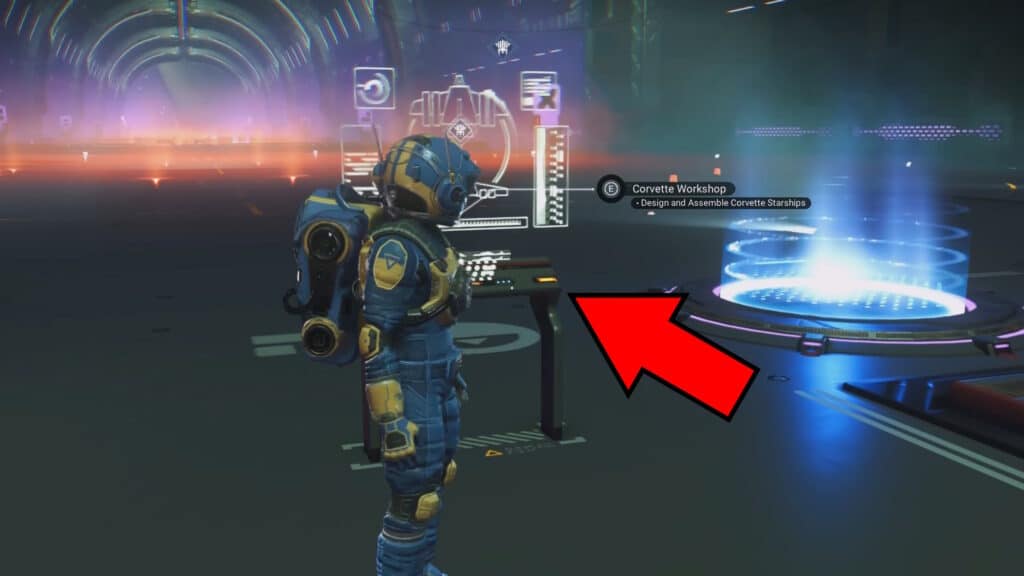
Once inside, interact with the Corvette Workshop there. This will let you assemble the ship, but you’ll first need to get the parts for it. If you don’t have them, select Purchase Modules and then Purchase Basic Modules first of all. You’ll need to get the following as the bare minimum to build the ship using the cheapest parts available:
- Accessway – Titan-Class Landing Bay – 800,000 Units
- Cockpit – Thunderbird-Class Cockpit – 1,600,000 Units
- Engine – Pyrodrive Booster – 1,000,000 Units
- Habitation Module – Thunderbird-Class Hab – 680,000 Units
- Landing Gear – Landing Gear – 800,000 Units
- Reactor – Medusa-Class Reactor – 1,750,000 Units
- Thruster – Titan Sublight Thruster – 1,400,000 Units
- Weapon System – Photon Cannon Array – 1,200,000 Units
You only need 1 of each of these parts, thankfully. Nonetheless, it’s still going to be a pretty expensive shopping list! You’ll need a total of about 9,230,000 Units to buy everything you need. And that’s without accounting for other optional (but recommended) parts, such as the Flight Stabilisers.
 No Man’s Sky: How to Change Between First Person and Third Person CameraMay 20, 2026
 No Man’s Sky: Expedition 21 Remnant GuideMay 12, 2026
 No Man’s Sky: Expedition 20 Breach Redux GuideJan 6, 2026
Aside from that, you will also need 1 free Starship space in your fleet. Corvettes use up regular Starship slots, unlike Freighters. Keep that in mind before committing to building one.
Building the Corvette
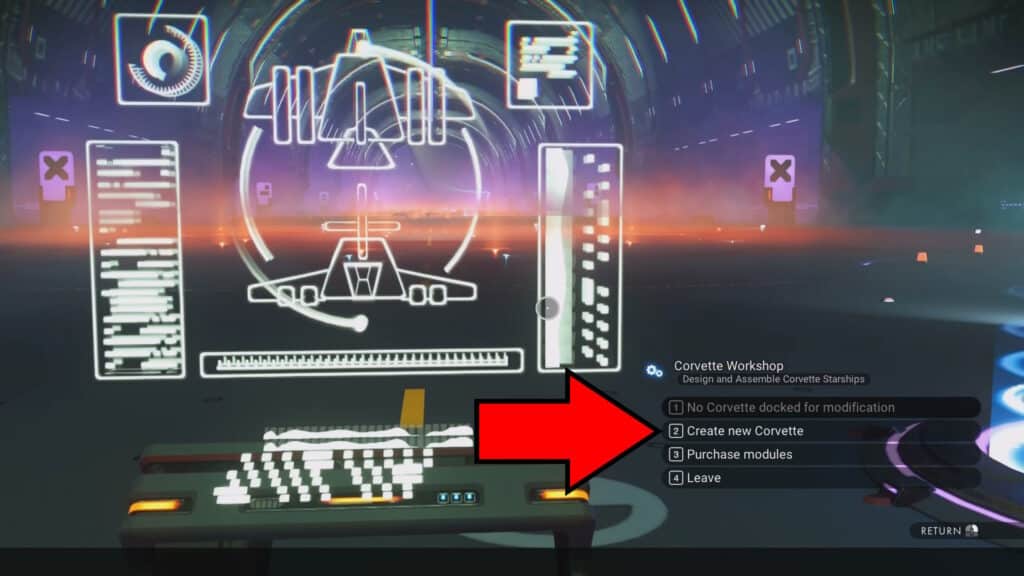
Once you’ve bought everything you need, use the Corvette Workshop once again. This time, select Create New Corvette instead.
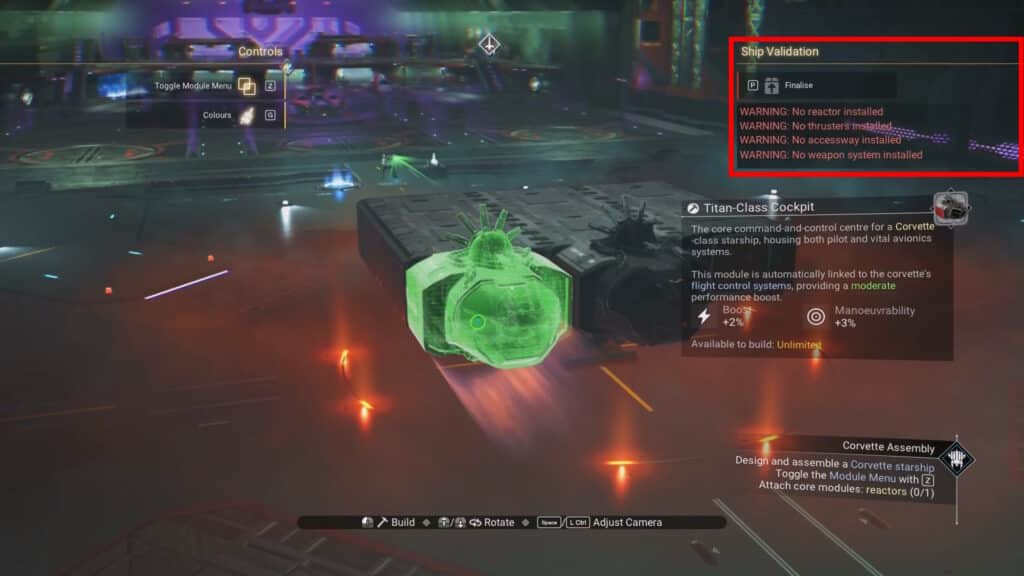
You will now be in the Corvette build menu. All you need to do is place all of the parts you bought! You have free control over how to build the ship here, just like with other Starships. Just keep in mind the requirements, which are listed on the top right side of the screen. They mostly just ask you to place all of the bare minimum parts and to ensure they’re all connected.
When you’re done designing your Corvette ship, you just need to finalize the design, and you’re all set! You can further customize it by using the Corvette Workshop again later, allowing you to expand on your design or replace parts with better ones you get later on.
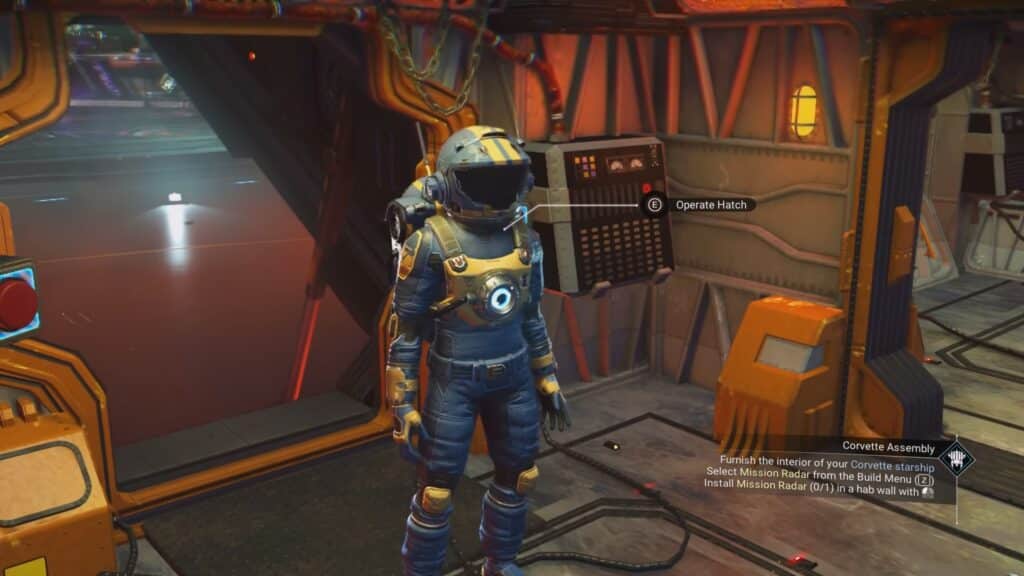
Additionally, you can also walk up the ship’s accessway to enter it. This will allow you to explore it on foot, which also opens up the possibility of furnishing the ship’s inside. For that, you need to use the standard Build interface. Just step into the ship and press the Z key (PC) or up on the d-pad (Controller) to customize the interior!
So, there you have it! That’s all you need to be able to get the new Corvette-class ship in No Man’s Sky: Voyagers. It’s just the very basics, but at least now you know how to get started with this new ship type. Now, it’s up to you to customize it as you like.