60 articles
Schedule 1 is a game where you create and build up your illegal business by producing and selling drugs on the streets. To do that, you need to collect a lot of random junk items.
But as time goes by, all of those junk items you collected will pile up in your inventory real quick. So the best course of action is to get rid of them.
This guide will show you how.
How to Drop Items
In Schedule 1, there’s really no option that lets you drop items on the ground. You can’t just throw random trash or weapons on the street like in GTA.
 Fully Automated Coca Docks Warehouse Build – Schedule 1Mar 20, 2026
 How to Get Watch & Chains in Schedule 1 | Jewelry Shop LocationMay 13, 2026
 West Bridge Location in Schedule 1 – Under the West BridgeApr 8, 2025
Instead, the game gives you a few ways to get rid of unwanted stuff permanently or dispose of trash properly.
There is no keybind that drops an item so someone else can pick it up. There’s no free-floating item on the map after you remove it from your inventory either.
Instead, you can either discard them permanently or throw them into trash sources around the map.
Discarding Items
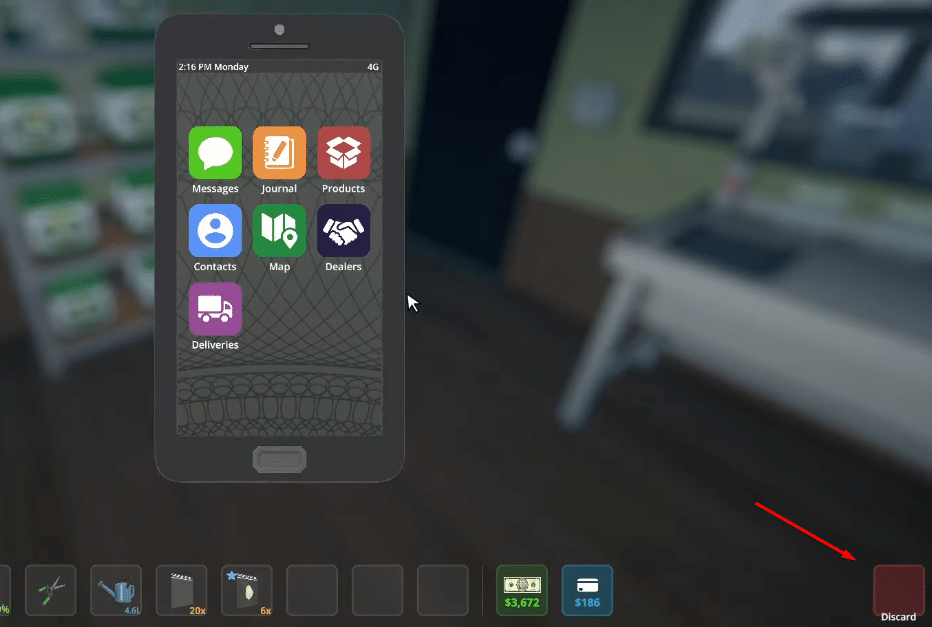
This is the go-to method when you just need inventory space.
Bring up your phone with Tab to open the inventory UI. In the lower-right of the screen you’ll see a “Discard” box.
Drag whatever item you no longer want into that area. There’s a tiny delay where you can cancel if you panic, but once it finishes, the item is completely gone. This works for pretty much any object you’re carrying that you don’t want anymore.
Just keep in mind that discarded items are permanently destroyed and irretrievable.
Throwing Items in Trash Bins
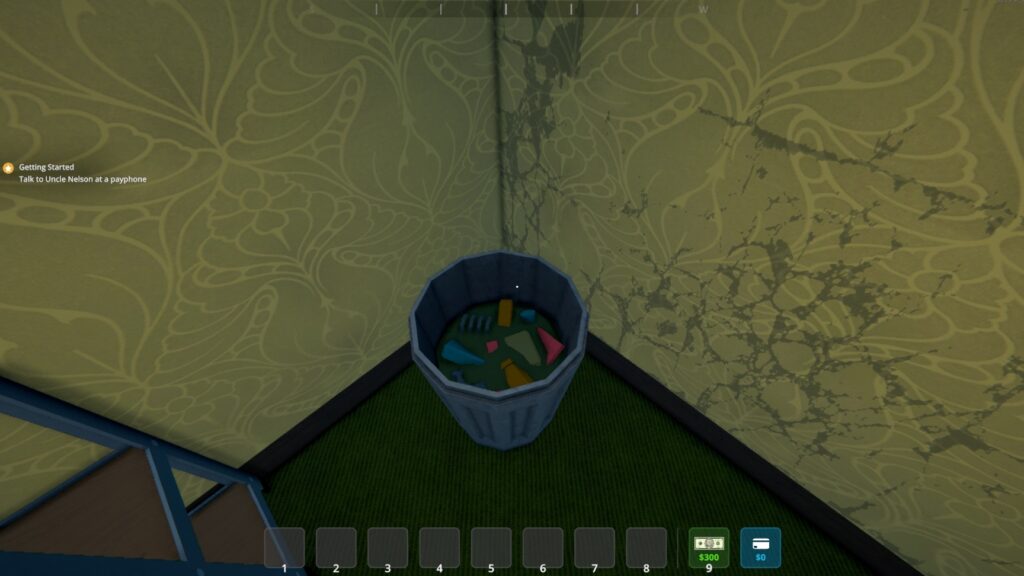
Throughout Schedule 1, you can find trash cans strewn around the map and in your hideouts. Some things, especially boxes, junk packaging, and other disposable containers, can’t go in the discard box and instead should be thrown in a bin.
To do this, pick up the item with E, walk up to a trash can, and toss it in. Then you can collect those trash bits into a bag and take them to a trash compactor on the street for a few bucks.
You can also buy the Litter Picker at Dan’s Hardware for about $50. It lets you scoop up lots of trash at once and deliver it to a bin or bag in one go
Then again, not all items can be trashed, so this can limit your option.
That’s really all there is to it for Schedule 1’s drop mechanics. The system is intentionally limited so that inventory management becomes a key part of the game.