
 20 articles
You might be wondering whether it’s possible to duplicate in House Flipper 2? As realistic this game can seem, yes, there’s a feature in the game which lets you duplicate and multiply items as much as you’d want – I’m here to show you how.
How to Duplicate Items
In order to duplicate items in the game, you’ll simply have to go to your tools wheel, and click the Flipper Tool on the top-right part of the screen.
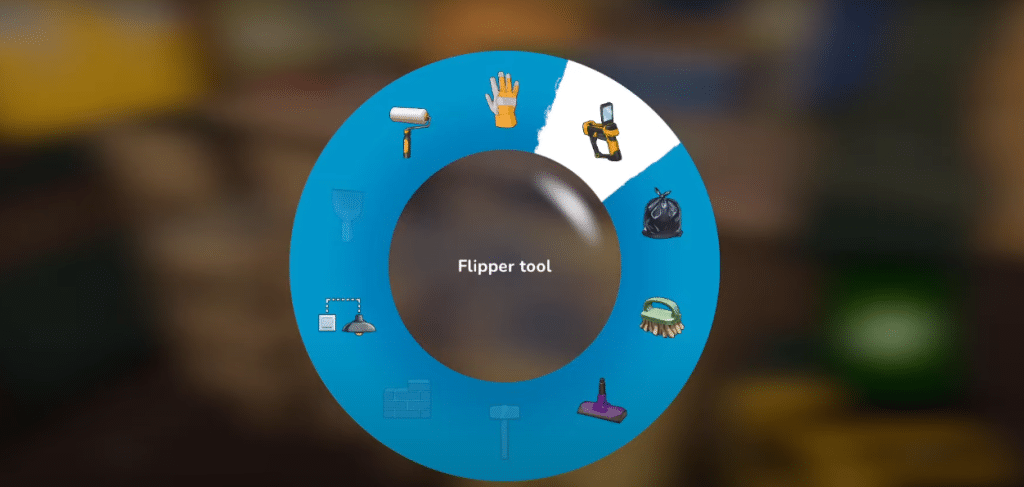
Afterwards, press “R” twice or whatever is the option to your device – and you’ll see the “Duplicate” feature somewhere in the bottom part of the wheel.
Now you know where we’re getting at.
 House Flipper 2: Where Is The Hidden Room & How To Find ItDec 28, 2023
 House Flipper 2: How To Clean WindowsDec 22, 2023
 House Flipper 2: How To Make Profit in House Flipping GuideJul 26, 2024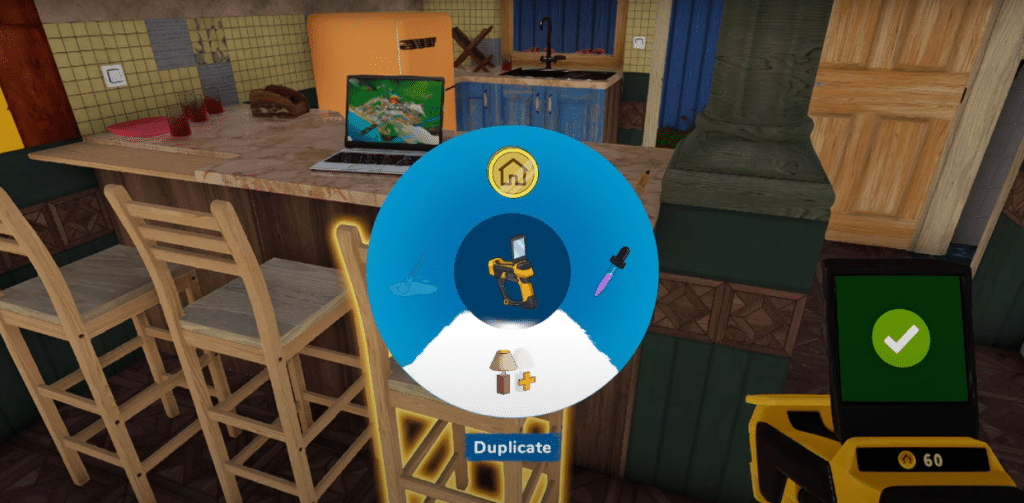
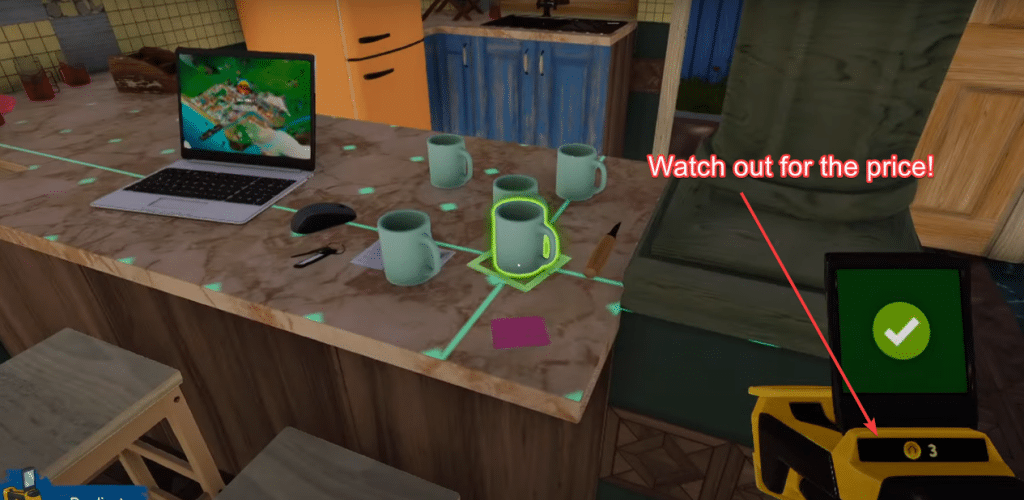
Now, click on any item—let’s say a cup and there you’ll see another cup spawning out of thin air! You can do this as much as you’d like as long as you have the money to do so.
You’ll be able to see the price of whatever you want to duplicate on your Flipper Tool. When you’re ready to clear the clutter, hit R again to exit duplication mode, switch back to sell mode, and happily sell those extra pieces of items you’ve duplicated.
Speaking of decluttering, if you’re up for a more thorough approach, you might be interested in an even more intense method which demolition. Take a look at our guide on that for detailed insights!
ALSO READ: House Flipper 2: All Collectibles – Full House Achievement Guide