80 articles
ARK’s latest map, Fjordur, has just been released a few days ago. It originally started as an unofficial mod created by Nekatus and Trappel22. Due to how wildly popular it was among ARK players, Studio Wildcard decided to turn it into an official map.
As with any major map release, Fjordur features a handful of new creatures unique only to the map. This means that you’ll have to encounter them in the wild in order to see them for the first time. However, if you’re playing as an admin on any given server and can’t be bothered to look for them on the map, you can just spawn them instead.
In this guide, I’ll show you how you can spawn ALL of the new creatures that you can find on the Fjordur map.
How to Spawn ALL New Creatures On Every Map in ARK Fjordur
Before anything else, you have to ensure two things. First, you must be the admin of a server or you have to be playing in singleplayer second. Second, you need to know how to open the console command menu. If you don’t know how to do the second, then here are some methods depending on the platform you’re playing on:
 Which Are The Best ARK: Survival Evolved Maps for BeginnersOct 28, 2025
 Ark Survival Ascended: 10 Most Useful Admin CommandsJan 12, 2024
 Ark Survival Evolved: Can You Tame A Creature While It’s Tranquilized?Jan 12, 2024
- PC – Simply press Tab to open the console
- PlayStation – Pause the game then press both LB, RB, Square, and Triangle all at the same time
- Switch – Pause the game then press ZL, ZR, X, and Y all at the same time
- Xbox – Pause the game then press LB, RB, X, and Y all at the same time
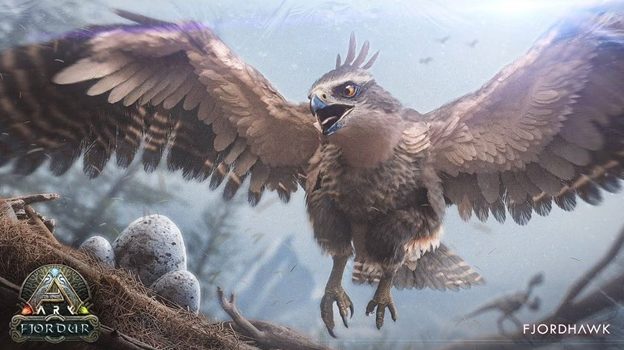
As long as you follow the correct combination based on your platform, you should be able to open the console. From there, you need to input the right code depending on the creature you want to spawn. Take note that there are only four new creatures introduced on Fjordur. They’re the Andrewsarchus, Desmodus, Fenrir, and Fjordhawk.
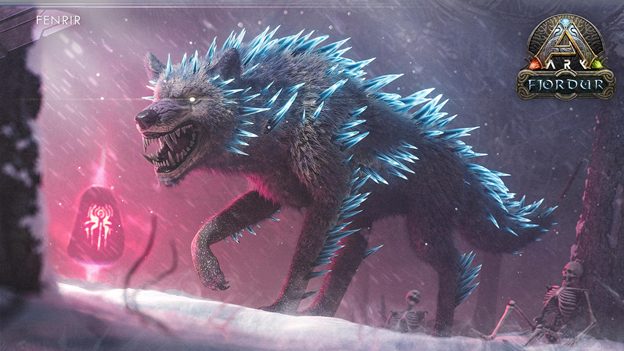
When spawning a creature, you need to type the GMSummon code followed by its specific creature ID and the level you want it to spawn. In essence, it should look something like this:
GMSummon “Creature ID” 1
With that out of the way, here are the specific creature codes for the new creatures in Fjordur:
- Andrewsarchus_Character_BP_C
- Desmodus_Character_BP_C
- Fenrir_Character_BP_C
- Fjordhawk_Character_BP_C
Note that the maximum level of creature you can spawn will depend on your server settings, with 150 as the default.
ALSO READ: The Cycle Frontier: Which Faction to Pick | Kordlev, ICA, Osiris Leveling Guide