 5 articles
Optimizing any game is vital for one’s enjoyment, especially if those games are demanding. However, that is easier said than done. Finding the perfect settings can often prove difficult and players struggle to find that green zone of perfection when their favorite game is in question.
That’s why today, we’ll be giving you tips and tricks on the best settings and optimization guide for Granblue Fantasy Versus – Rising. So without further ado, let’s get started!
Technical Details
First things first, go to your Settings page in the game’s menu and find the Technical Commands options within. This should be located in the Button Configuration (Battle) menu as indicated in the screenshot below:
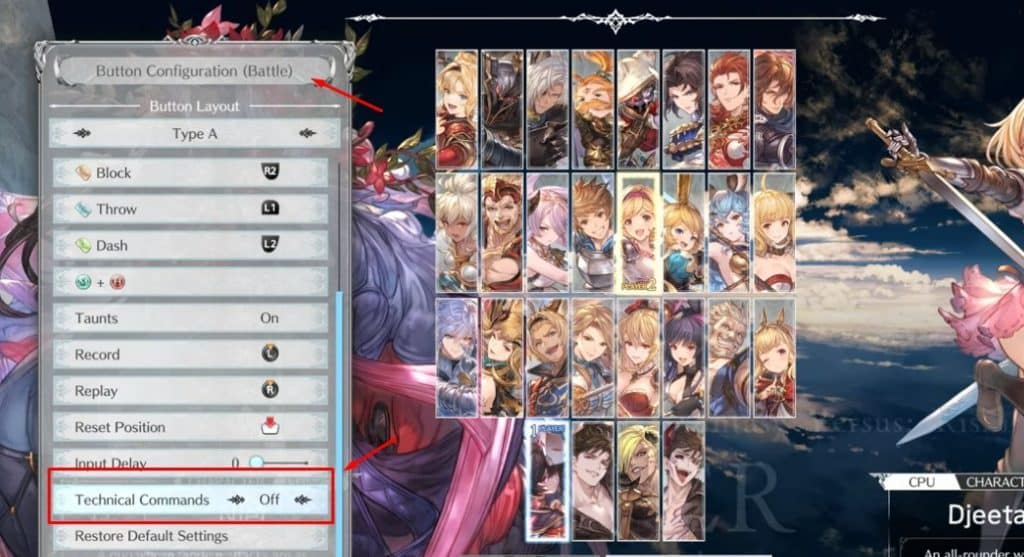
Having these Technical Commands On in the most basic of terms, means that you will “get more damage and more worth on fewer cooldowns” for your special moves if you do the actual motion input.
 How to Pick Your Main Character: Granblue Fantasy Versus: RisingDec 19, 2023
 Granblue Fantasy Versus – Rising: How to Improve VisualsJan 23, 2026
 Granblue Fantasy Versus Rising: Best Tips & TricksDec 17, 2023
The downside to having Technical Commands On is that during crucial moments of the game, you might be getting the wrong commands thus creating unnecessary frustration for you. Just something to keep in mind.
Playing with Friends
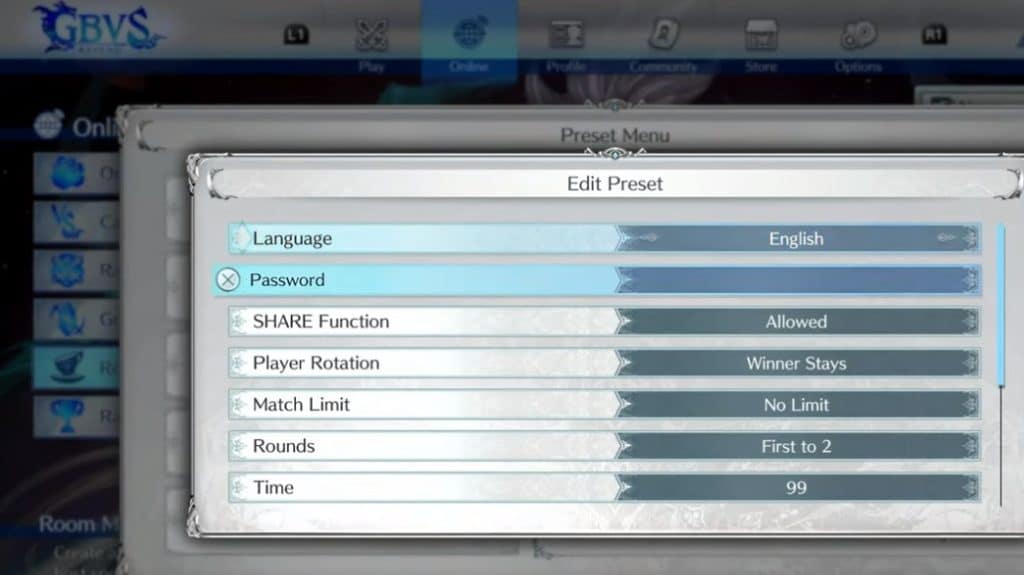
One of the best features of Granblue Fantasy Versus – Rising is that you can play with your friends in premade custom rooms designed specifically to your liking. To list some of these functions, you can choose the language, password, Share functions, Player Rotations, Match Limit, rounds, time, and more.
Adapted Visuals
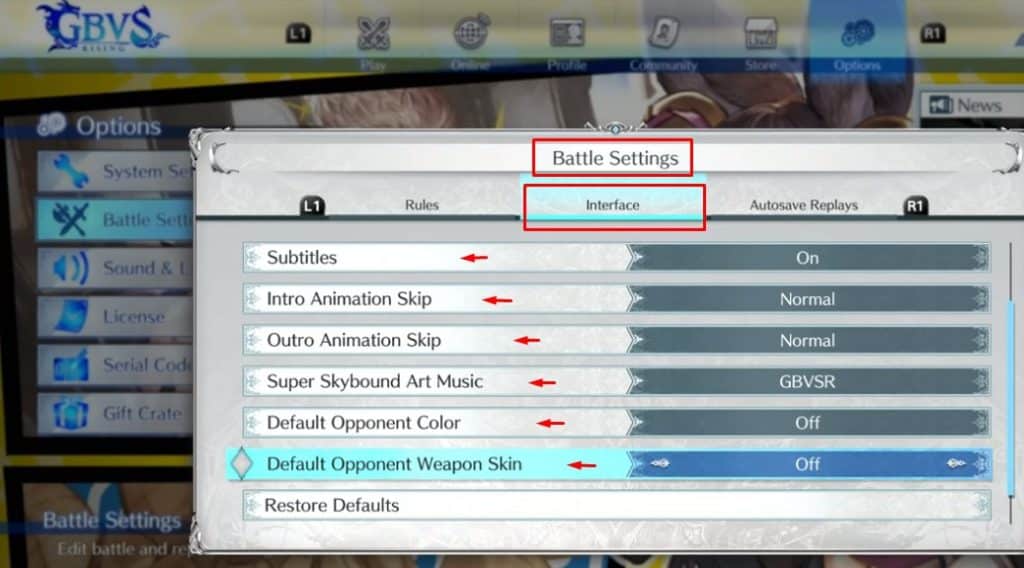
For those struggling with certain visual effects in this game, we have something special in store for you. Namely, there is an option in the Settings menu from which you can change the default colors of pretty much any aspect of the game. From characters themselves to their weapons. It makes the game a bit more accessible and easier to play.
Simply head over to the Battle Settings and go to Interface where these settings will be located.
Auto-Replays
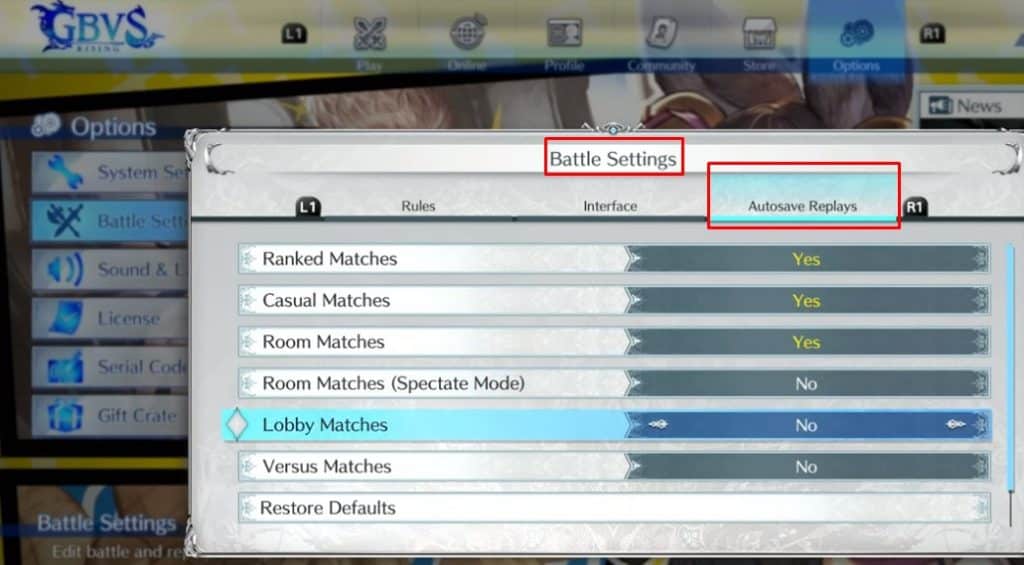
For those wanting to improve at the game, there is an option to auto-replay just about anything. From casual matches to ranked matches, you can replay them. For this, you need to access the Battle Settings once again and then select the “Autosave Replays” menu.
With this, we’ll finish our Granblue Fantasy Versus – Rising tips and tricks. It’s a relatively new game and we’ll keep you updated as the game evolves. Enjoy gaming!
ALSO READ: How to Pick Your Main Character: Granblue Fantasy Versus: Rising