 41 articles
You’ll need to have the best audio settings to hear footsteps if you plan to be competitive in Call of Duty: Black Ops 6.
After all, footsteps are one of the most important sounds to be able to know where your enemies are. As the old saying goes, knowledge is power. Other players can’t sneak up on you if you hear them coming first, for example!
In this guide, we’ll give you our recommended settings, which are entirely focused on trying to maximize the sound of footsteps.
Best Audio Settings to Hear Footsteps | Call of Duty: Black Ops 6
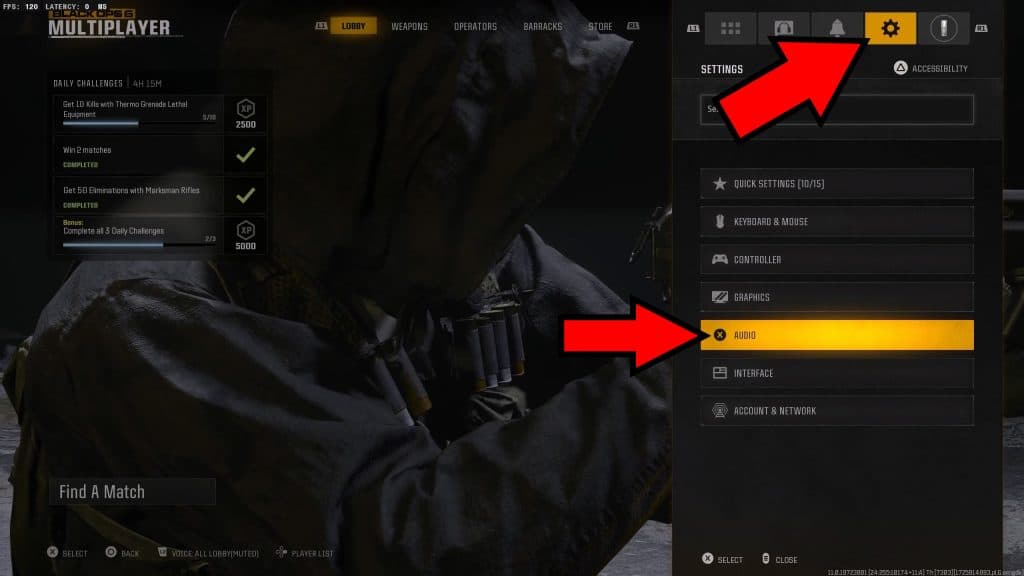
To get started, click on the gear-shaped icon in the Main Menu or the Pause Menu if you’re midmatch. This will bring up the list of settings, where you can just pick Audio Settings.
 Zombies Reckoning: ALL Folder Locations & Computer Code Puzzle Solution | Black Ops 6Aug 9, 2025
 Zombies Reckoning: ALL Klaus Robot Arm & Leg Locations | Black Ops 6Aug 9, 2025
 Zombies RECKONING – Easter Egg Song ALL Headphone Locations | Black Ops 6Aug 9, 2025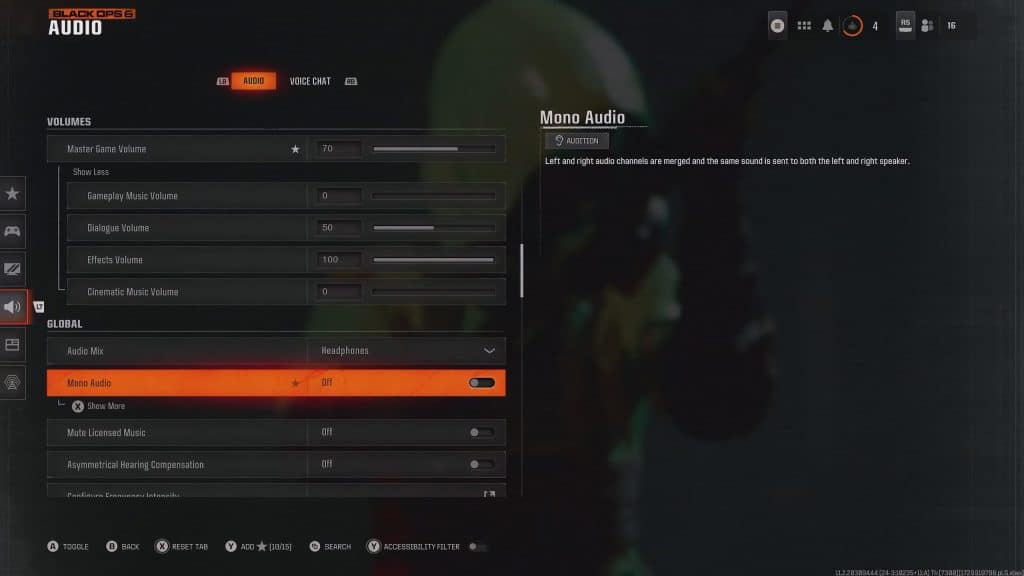
Now, you’ll want to use the following settings to minimize pointless audio and maximize the sound of footsteps:
- Master Game Volume – Depends on your preference, but setting it to anything between 70% and 90% should work. Click on “Show More” in-game for the next few settings.
- Gameplay Music Volume – 0%
- Dialogue Volume – 20% to 50%. This is the volume for the audio cues from operators, so it’s important to not mute it entirely.
- Effects Volume – 100%. This includes footsteps, but also every other sound such as gunshots. You sadly can’t reduce gunshot volume independently from footsteps.
- Cinematic Music Volume – 0%
- Global
- Audio Mix – This will depend on your device. If you use a headset, switch to Headphones. If you have a home theater setup, select Home Theater. Otherwise, Treyarch Mix works well enough in every configuration.
- Mono Audio – Make absolutely certain that this is set to Off.
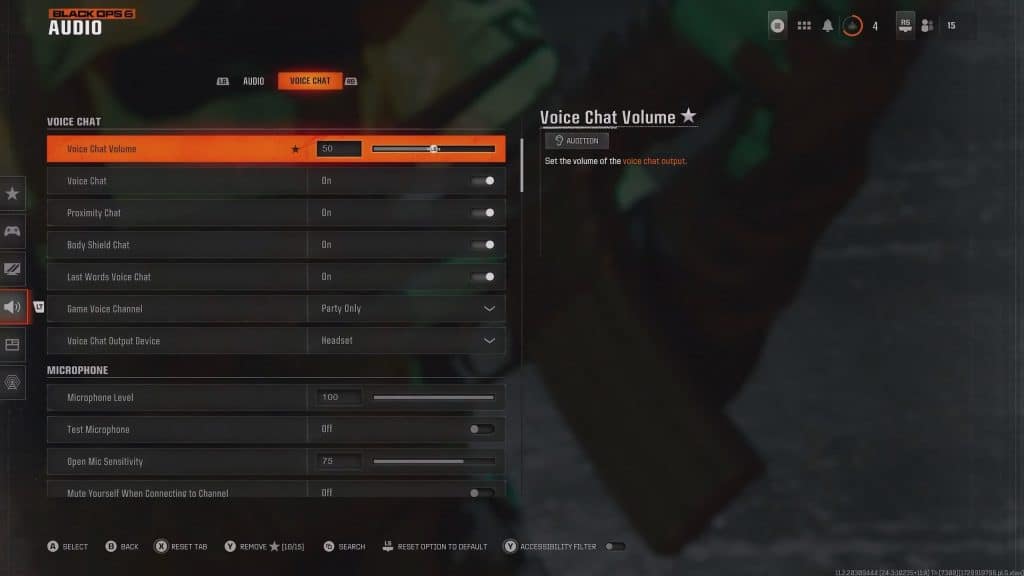
Aside from these settings, there’s not much else you can change. You can switch over to the Voice Chat tab if you want and lower the volume of Voice Chat if you wish, but that’s about it. If you do, we recommend keeping it to 50% or lower, as shown above.
On that note, you can also raise and lower the volume of your own microphone. It’s important to set it just right so others can hear you.
Nonetheless, those are the best possible settings to hear footsteps in Black Ops 6. We wish there were a few more options to mess with, but we hope this helped you out!