55 articles
Path of Exile has a ton of ways in which players can get themselves valuable loot, with shipping being a very good one. That said, to make use of the shipping feature, you will need to collect your shipments.
In this guide, we will be looking at what you need to do to collect shipments in the Settlers of Kalguur update. Don’t miss out on valuable loot just because you don’t know how to collect shipments.
How To Collect Your Shipment In Settlers of Kalguur
Shipments can be claimed through Tujen the Harbourmaster. Tujen is an NPC that can be found at the Kingsmarch location.
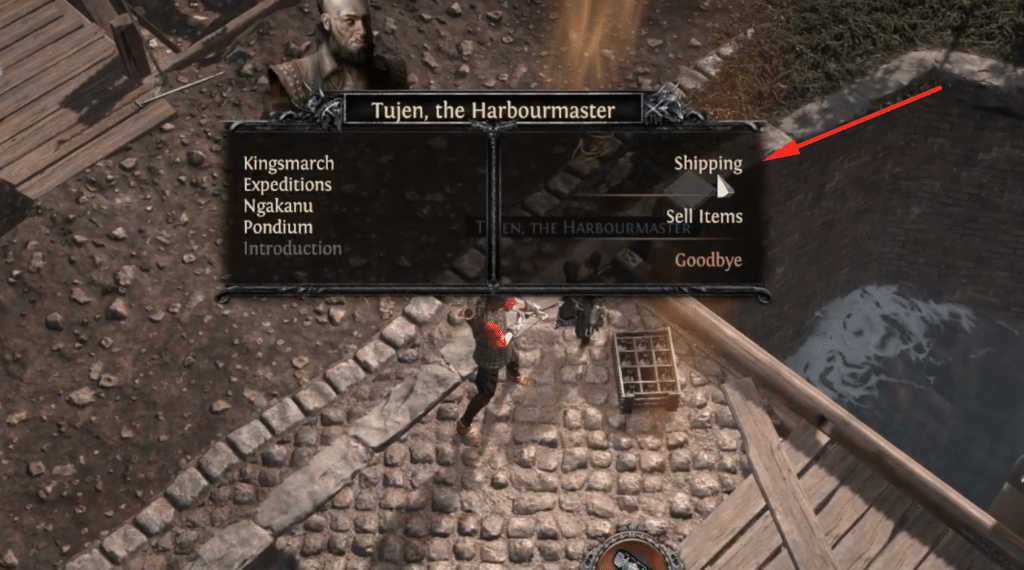
To get to Tujen, start at the Waypoint at Kingsmarch and make your way down towards the harbor. You will find Tujen there standing near the water. Once you are in front of Tujen, interacting with him will show you all the services that he offers. Select the Shipping option to proceed.
 How to Get Bismuth in Path of ExileAug 1, 2024
 How to Be Able to Mine Bismuth Ore in Path of ExileAug 1, 2024
 How to Get Miners to Mine Petrified Amber Ore Path of ExileAug 1, 2024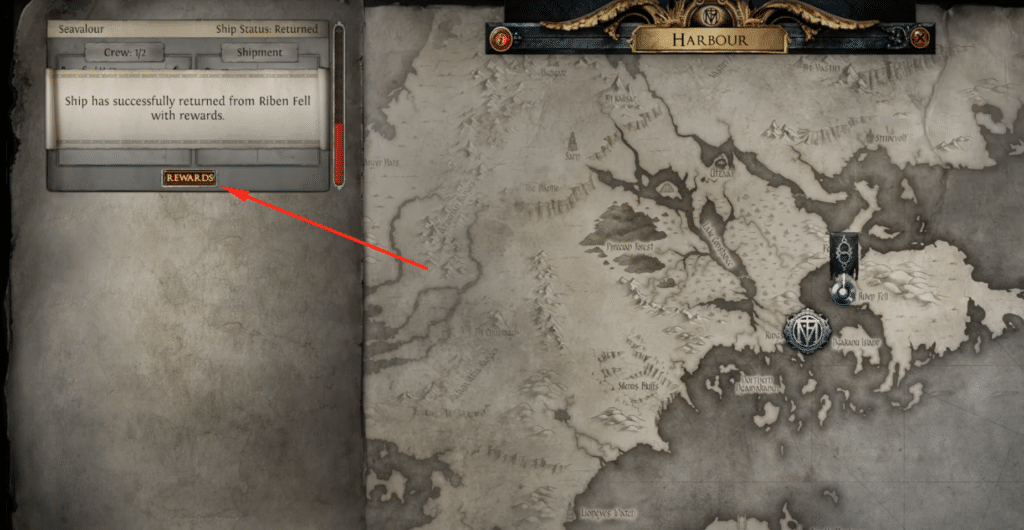
After selecting Shipping, you will see a map of the game in front of you with a log on the left showing you shipments that you can claim. You can claim your rewards from the shipment by clicking on REWARDS. This menu will show all of your shipments that you can claim rewards for.
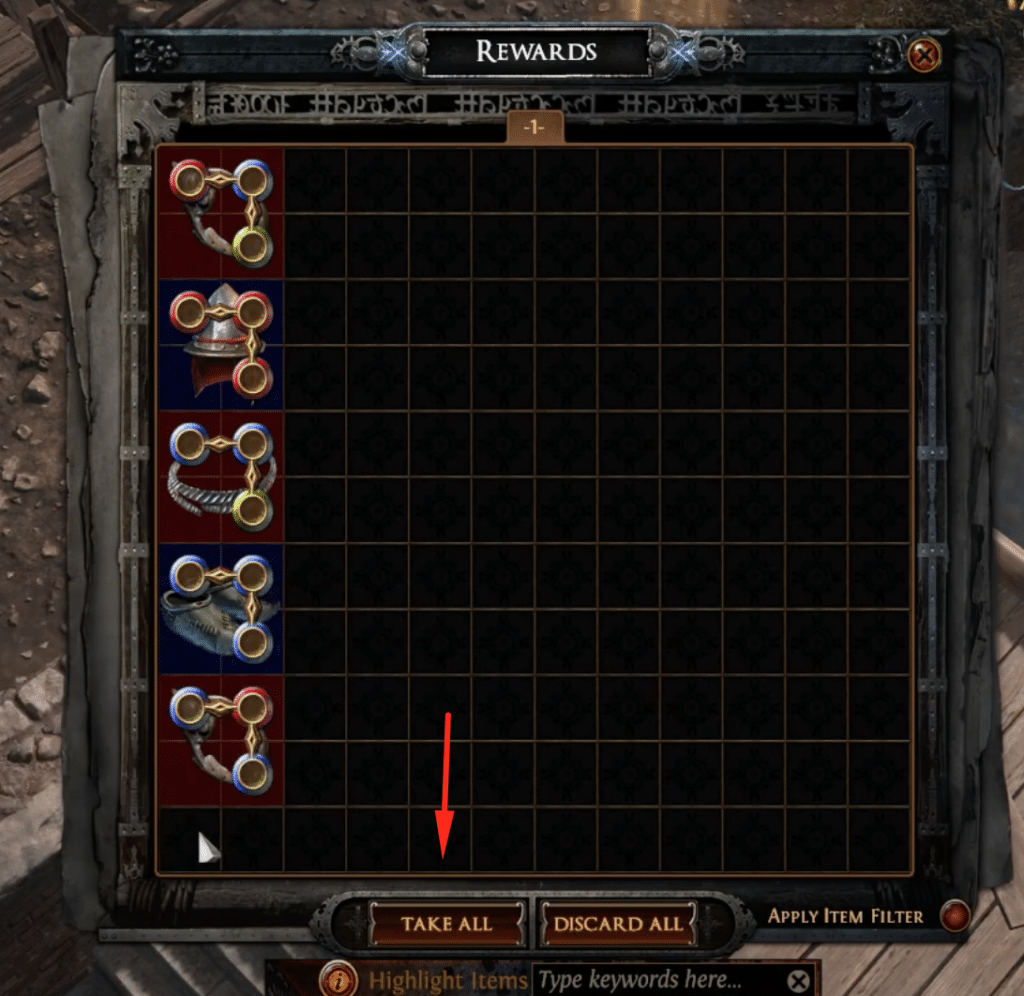
After you’ve selected the REWARDS option, you will be able to see all of the rewards that you have earned in front of you. You can select each item here individually to see more details about what it is and what it does. Selecting the Take All option will add all items to your inventory. You can also choose to discard all the items by clicking on the Discard All option.
Once you’ve dealt with every item here, you can carry out more shipments and earn additional rewards through them. Try to make the most of the shipping feature, as it is a great way to earn amazing rewards.
If you are looking for more content related to Path of Exile’s latest update, check out our guide on how to open the new vault in Act 5 Reliquary.