
 55 articles
One of the most noticeable additions of the latest Settlers of Kalguur expansion pack of Path of Exile is the new auction house system which is called Currency Exchange Market.
Through this, you can exchange currencies (items) with other players in real time. This will prove pretty useful in getting items that you are unable to find. I will give an explanation of how the Currency Exchange Market works in this guide.
How The Currency Exchange Market (Auction House) Works
Two important things I would like to mention before I get started on the explanation.
- The Currency Exchange Market is only available in the Leagues of Settlers of Kalguur and not in the normal Leagues.
- Also, this is meant to be a player to player exchange so it is not available in solo self-found.
Faustus, The Financier
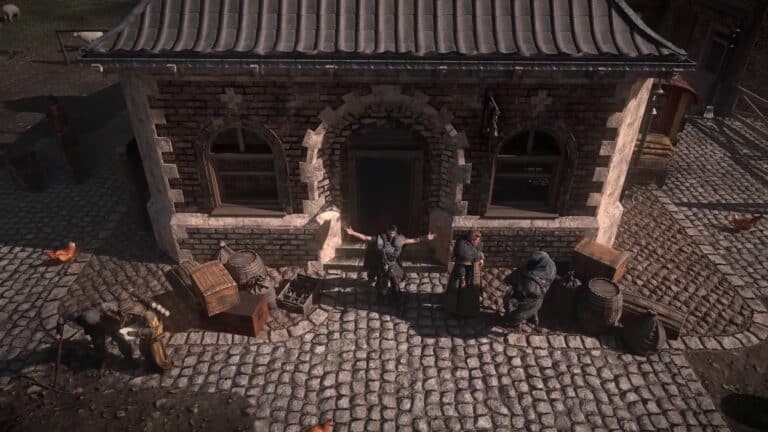
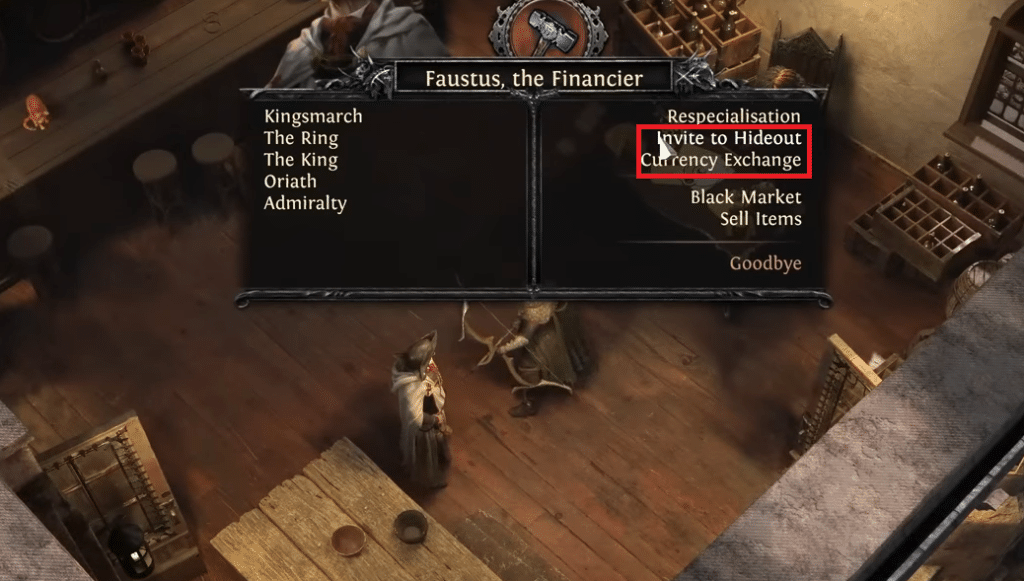
You can access the Currency Exchange Market through an NPC called Faustus, The Financier who is available in the Tavern of Kingsmarch.
 How to Get Bismuth in Path of ExileAug 1, 2024
 How to Be Able to Mine Bismuth Ore in Path of ExileAug 1, 2024
 How to Get Miners to Mine Petrified Amber Ore Path of ExileAug 1, 2024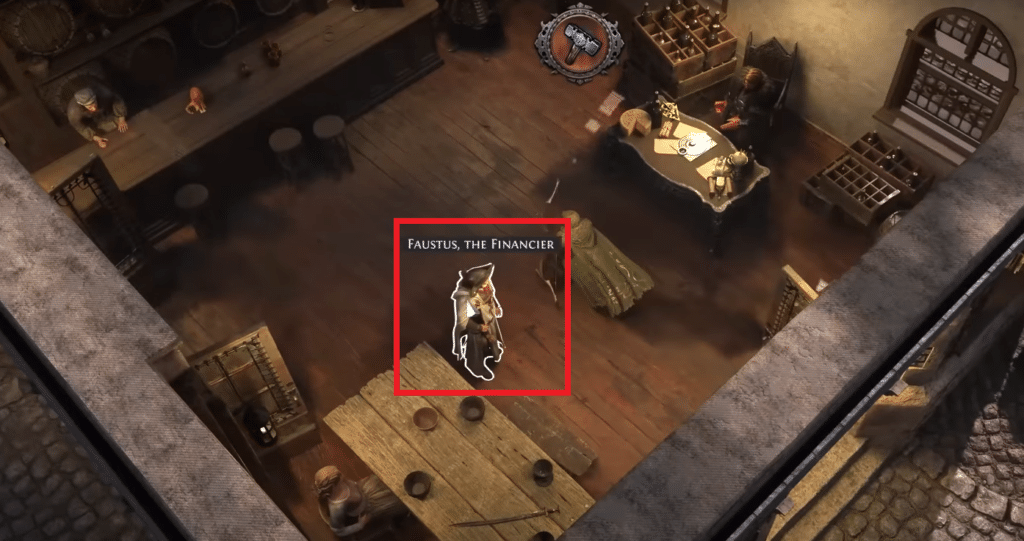
Interact with him to bring up the following menu. You can select Currency Exchange to open up the Currency Exchange interface (more information on that down below). There’s also an option called Invite to Hideout which will make Faustus come to your hideout. I suggest clicking on this so you do not have to come to Tavern all the time to access him.
Currency Exchange Interface
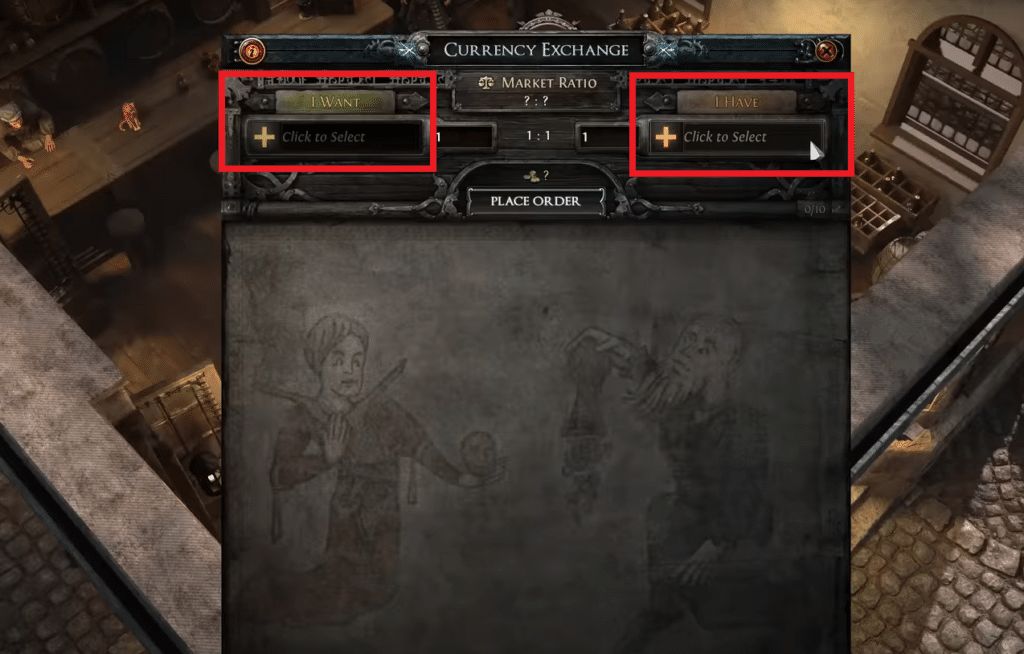
The image below shows the Currency Exchange Interface. This is where you will be doing all your currency exchanges.
On the left side, there’s a slot with a plus icon named “I WANT”, this is where you select the currency that you want to receive. And on the right side, you will find a similar slot called “I HAVE”, this is where you will select the currency that you want to give away.
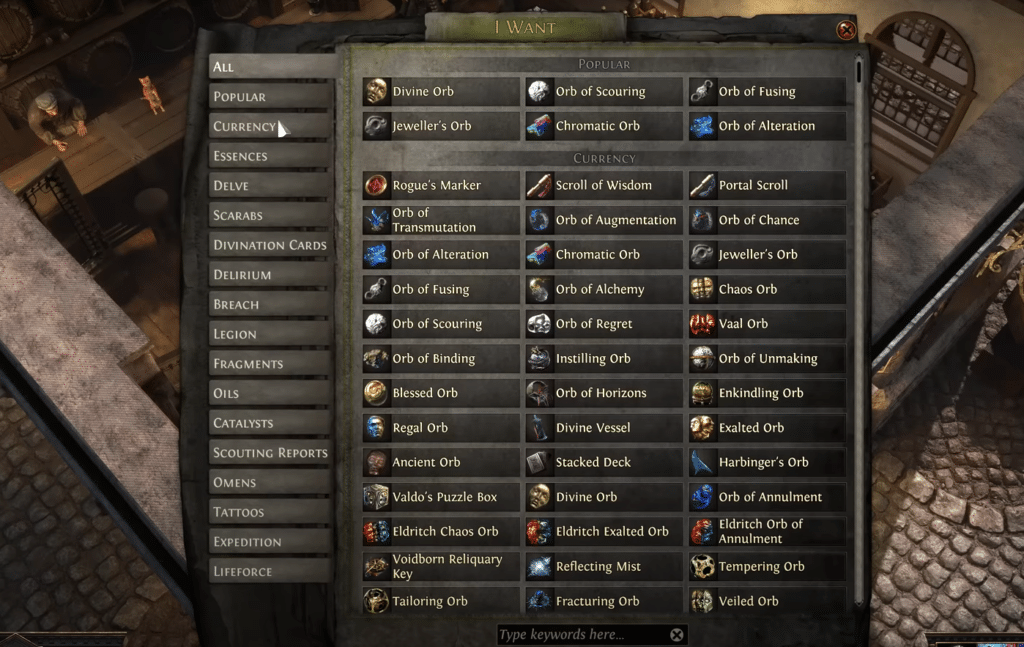
Clicking on either of the slots will bring up the currency menu (shown below) in which all the currencies are listed. Simply click on the currency you would like to receive and trade away in their respective slots.
The game will automatically check your inventory and stash so you do not need to do anything when selecting currencies you want to trade with.
Popular Currencies
In the currency menu of “I WANT”, you will notice a couple of currencies under a tab called “POPULAR”. These are the currencies that are usually traded with the currency that you are trying to get. Giving away a currency from this tab will make your order fill up faster.
Market Ratio
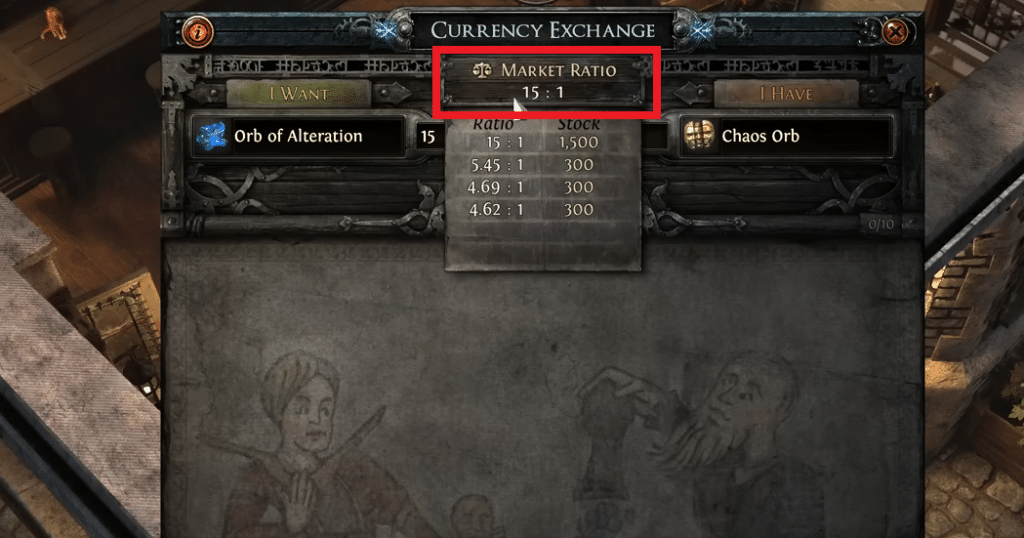
When you select both currencies, a Market Ratio will be displayed for the trade you are trying to do. If you hover your mouse over it, you will be able to see all the best possible ratios available right now for that trade.
It is imperative that you select one of the given ratios or something similar if you want your order to get filled up faster. Otherwise you may have to wait a long time for your order to fill up.
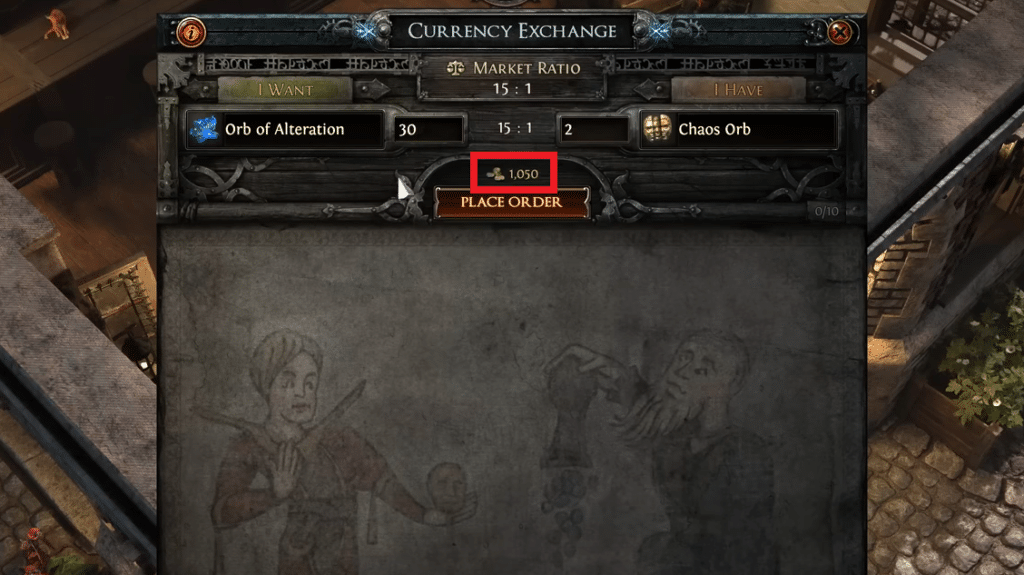
Gold Cost
After selecting both of the currencies, you will notice a Gold Value present above the “PLACE ORDER” button. This is the amount of Gold you have to pay for placing that order. This is nonrefundable in case you close your order earlier.
Getting Gold
You can find Gold throughout Wraeclast in Settlers of Kalguur League. The amount of Gold available in early-game is very limited so using the Currency Exchange Market is not feasible during that time.
But once you get to mid-game, you start getting more Gold and this is where you can actually start taking advantage of the Currency Exchange Market. By end-game, Gold should not be a problem in the slightest.
Placing an Order
One more thing to keep in mind is that there is a limit to the amount of orders you can place on the Currency Exchange Market at a given time. It is marked in the image below. This limit is shared among all the Leagues.
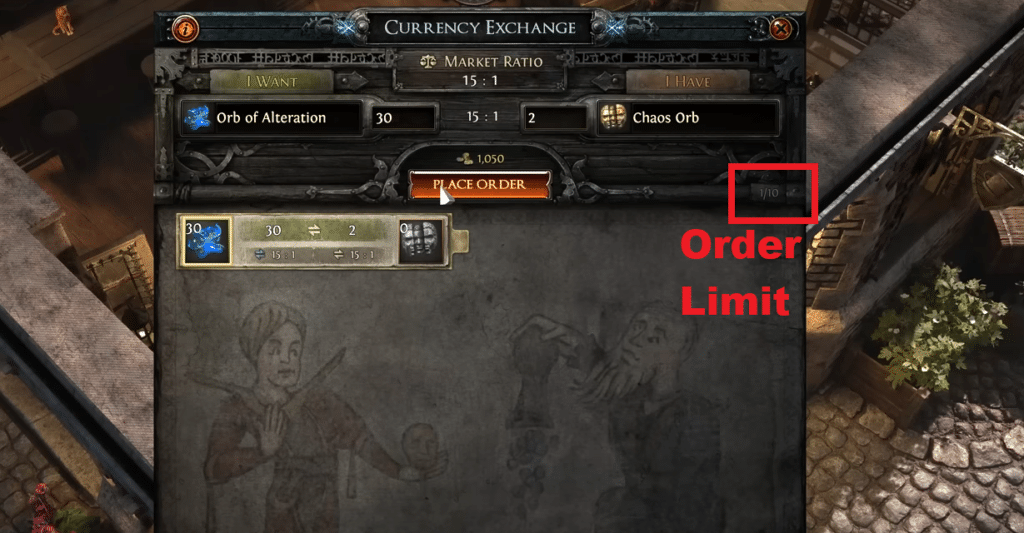
After taking everything into consideration, simply press the “PLACE ORDER” button. This will place your order and it will start filling up in real time right that moment. You can close your order even if it is partially filled.
Retrieval
Once your order is completed (or closed), you can start retrieving it. Select the currency and just place it in your inventory.
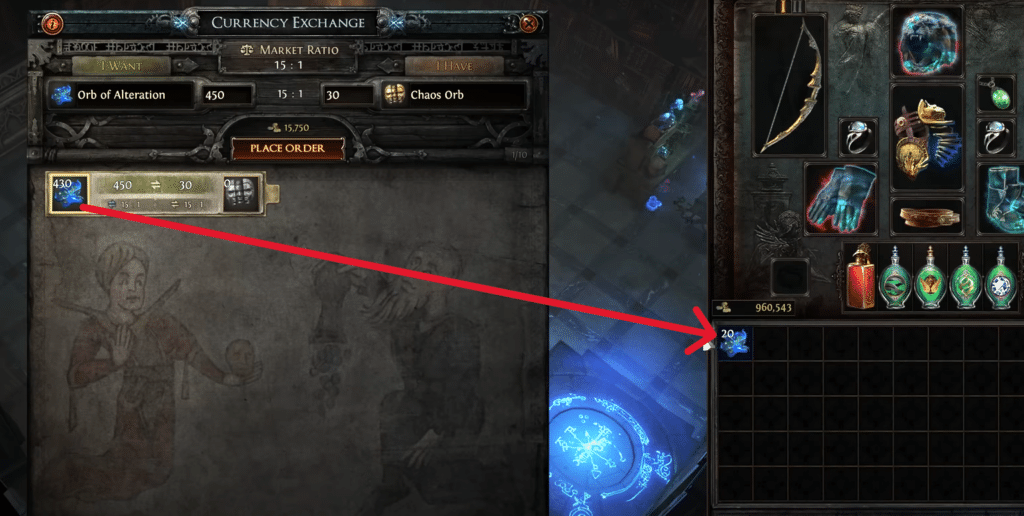
Tips on moving items quickly
Pressing Ctrl + Left Mouse Click (Square or X on controllers) will move the entire stack. And pressing Ctrl + Right Mouse Click (holding Square or X on controllers) will move it all to fill up your Inventory. The same keys can also be used when moving items from Inventory to Stash.
This was all the information you needed to start using the Currency Exchange Market! Now if you want to learn how to add Gold to Treasury then we have a guide available on that as well.