174 articles
LEGO Fortnite has a whole village system! The only bad thing about the village system is that you’re locked to a maximum amount of villagers you can have at one time. This means that if you are at max villager capacity and you want to recruit a new villager, you may need to remove a villager in order to make space for the newest addition.
We’ll go over the details on how to remove members of your village, and go over why this is important!
How To Remove Villagers
In our playthrough, we found that the only method of removing a village member in LEGO Fortnite is by breaking their bed and then intentionally disregarding their needs for a continuous period of 5 days.

No in-game options, buttons, or alternative methods are available for removing a villager from the game.
 How to Unlock & Create a Katana in LEGO Fortnite (Ninjago)Apr 2, 2026
 Survive The Horde Guide in FortniteMar 31, 2026
 Best Farming Loadout in Save the World FortniteMar 31, 2026
The reason I mentioned “ignoring them for 5 days” is because when a villager’s bed is broken, they become frustrated and provide a grace period of 5 days for you to address the issue (specifically, the lack of a bed). If a new bed is not provided within this timeframe, they will ultimately decide to leave the village.
We know unlocking a glider in LEGO Fortnite isn’t as easy as this, but it’s definitely less cruel. Unfortunately, players will have to resort to this method if they want to remove some of their villagers.
Wrap Up
Because progression is heavily tied to perks players get from villagers and the village itself, it’s very important to have a roster of villagers that makes the most sense.
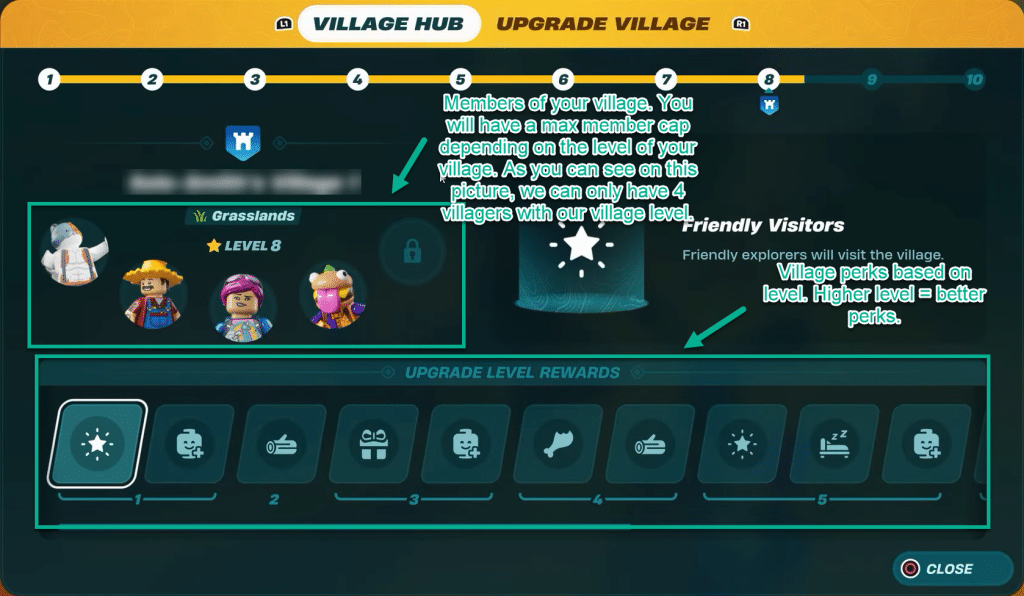
The amount of members players can have in their village is tied to the level of the Village Square. The higher its level, the more villager slots you’ll have. At the time of writing, at the max level, players can have 5 village members. Check out this image for reference: