 19 articles
Granblue Fantasy: Relink allows you to play co-op multiplayer with others, be they random players or your friends!
Group up with other Skyfarers and you will find that taking on quests is a lot easier and more fun… as long as everybody’s pulling their weight, that is.
Read on and we’ll tell you how to start and join multiplayer sessions so you can enjoy adventuring with others.
How to Play Co-Op/Multiplayer Online
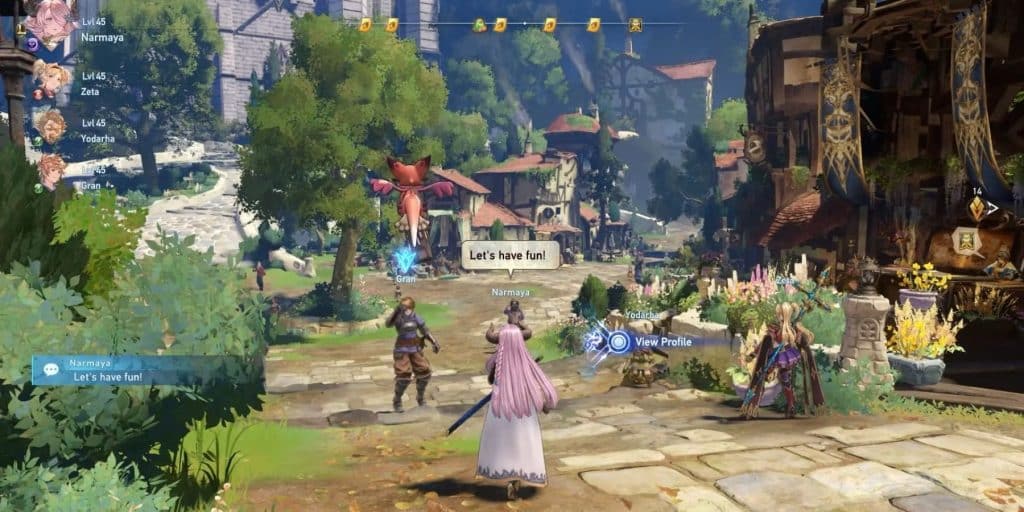
The first thing you need to do to unlock co-op and multiplayer is to complete the game’s tutorial prologue until you reach Folca.
 The Best DPS Character in Granblue Fantasy RelinkFeb 10, 2024
 Granblue Fantasy Relink: How to Forge WeaponsFeb 5, 2024
 Granblue Fantasy Relink: How to Get Golem FingerFeb 5, 2024
This town has a Quest Counter, which is your one-stop shop to taking on non-story quests. It’s also your gateway to online multiplayer!
That does mean one downside, though: you can not play the game’s story chapters online. You will have to play the story alone, with a party full of AI-controller allies.
Nonetheless, you can still take on any of the many quests in the game with other players. There are more quests than story chapters, so it’s not the worst!
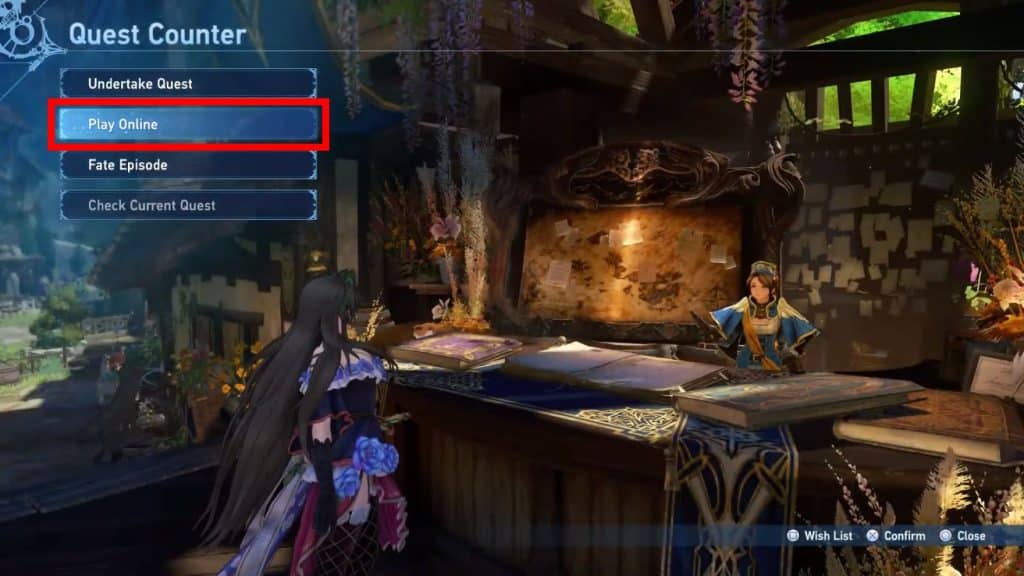
Anyway, to play multiplayer simply use the Quest Counter and select to Play Online.
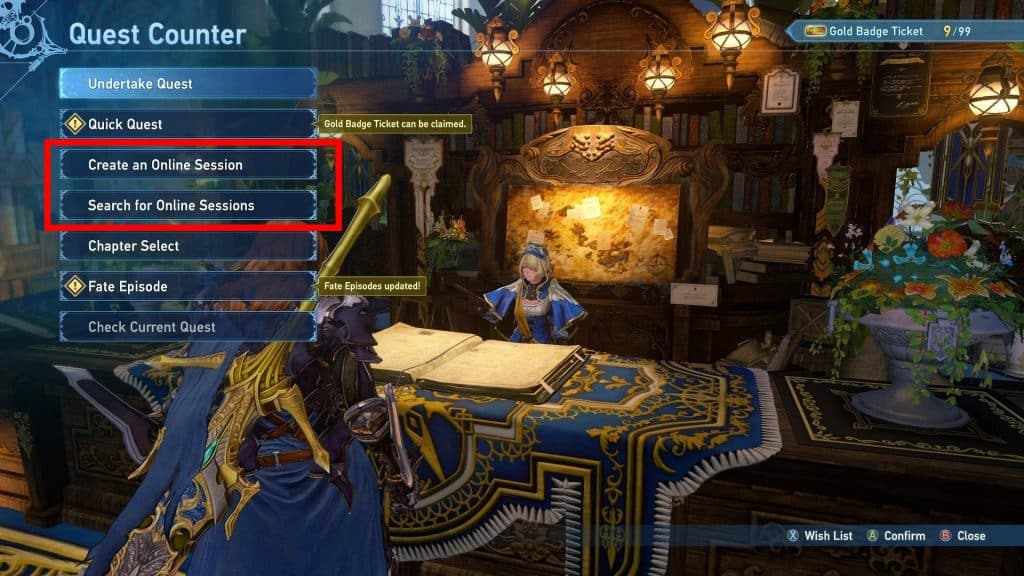
You’ll connect to the multiplayer and be able to either create or join a multiplayer session. Both of those options will appear at the Quest Counter as soon as you are online.
Choosing to join a session will allow you to choose the following options:
- Search by Criteria – Allows you to define what kind of public multiplayer session you want to join, defined by things like Region and Play Style.
- Search Friends List – Looks for any open multiplayer sessions from people in your friends list.
- Enter Session ID – Allows you to input an alphanumeric session ID to directly join another player’s session.
Joining a session is surprisingly easy, isn’t it? Creating a session is similarly easy, but there are some key differences!
Things you should know when creating a Multiplayer Session
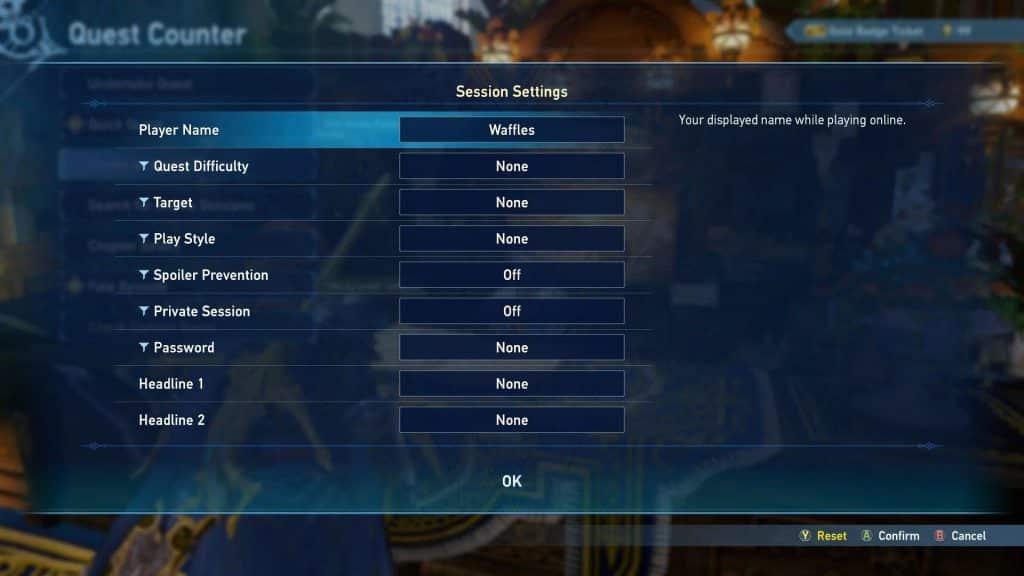
As soon as you choose to create a session, you will be met with a dozen different options to define what kind of multiplayer session you want.
To help make these a little less confusing, here’s what they all do:
- Quest Difficulty – Allows you to limit the difficulty of quests, up to whatever the maximum difficulty you’ve reached is. More difficulties become available during the endgame.
- Target – Lets you define what the focus will be during your multiplayer session, such as leveling up or taking down bosses.
- Play Style – Lets other players know what type of play style is expected in your session, such as playing casually or grinding.
- Spoiler Prevention – Turn it on to prevent you from matchmaking with people who are using secret unlockable characters or are partaking in late-game quests.
- Private Session – Turn it on to prevent random players from joining, perfect to play with just friends.
- Password – Further locks your multiplayer session from random players, alongside the Private Session option. Only those who know the password can join!
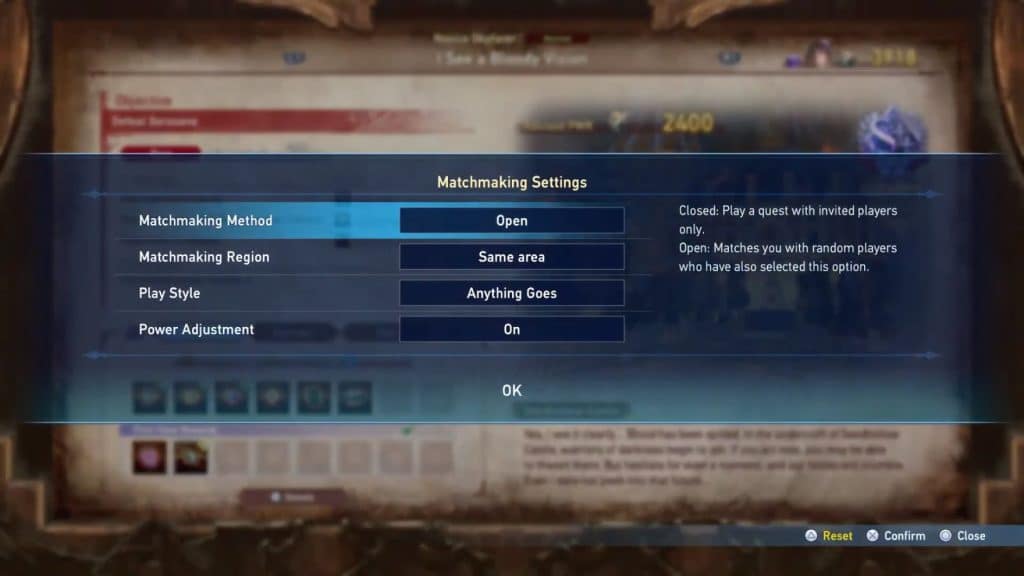
Additionally, hosting a session will allow you to start matchmaking when starting a quest if there are still empty slots in your party.
This can be great for quickly matching up with other players who are taking on the same quest as you and your party!
So, with all that said, now you know everything there is to know to start playing the co-op and multiplayer modes in Granblue Fantasy: Relink. Go out there and meet up with other Skyfarers!
ALSO READ: Granblue Fantasy Relink: All Chest Locations in Chapter 4