 28 articles
Final Fantasy 7 Rebirth has a wide variety of playable characters to choose from. Depending on how you want to play, you can build your own party consisting of 3 different characters.
Each character in the game has their strengths and can contribute to your party in their own unique way. In this guide, we will be looking at how you change party members. With so many different characters, having the ability to change characters can be very useful.
How to Change Party Members
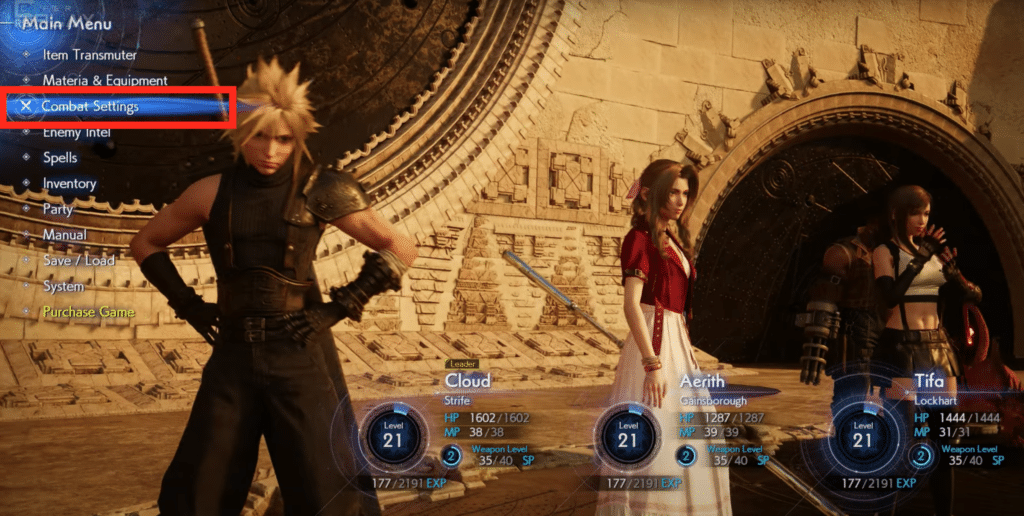
To change party members, you will need to open up the main menu and select the Combat Settings option.
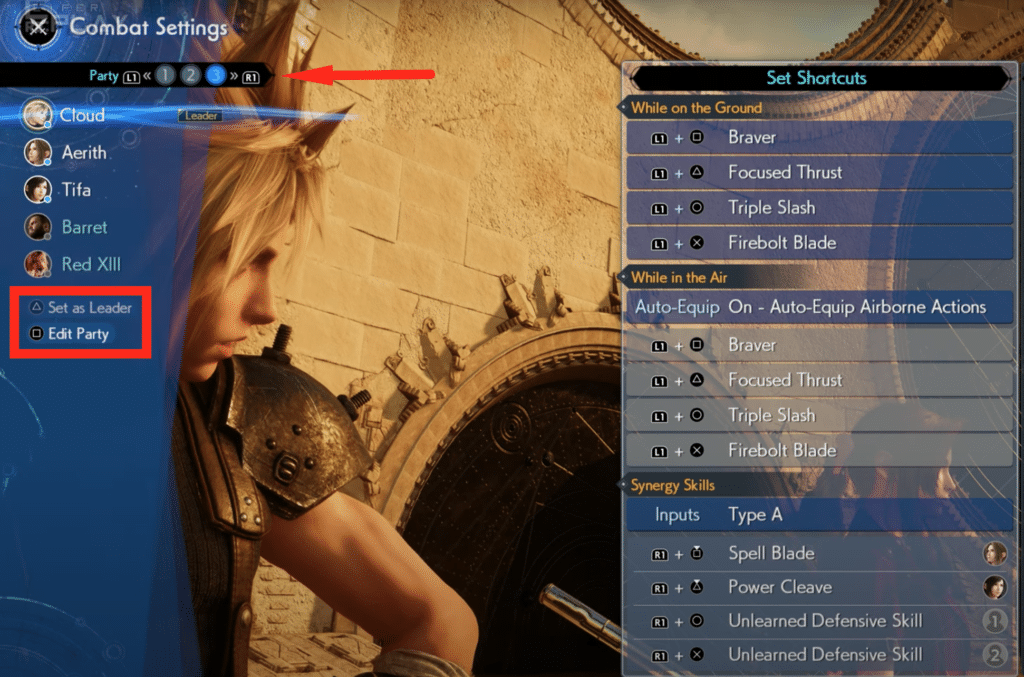
In Final Fantasy 7 Rebirth, you can have up to 3 active Parties. You can select which party you want to edit by switching around between the parties using R1 or L1. Once you are on the party you want to edit, press Square on your controller to Edit Party.
 Final Fantasy 7 Rebirth: All Weapons LocationsMar 3, 2024
 Final Fantasy 7 Rebirth: How to Defeat Grasptropod Mar 2, 2024
 Final Fantasy 7 Rebirth: How to Get All SummonsMar 1, 2024
The Combat settings also show you the different abilities and move sets of the unlocked characters. A character like Barrett will offer something completely different from someone like Cloud.
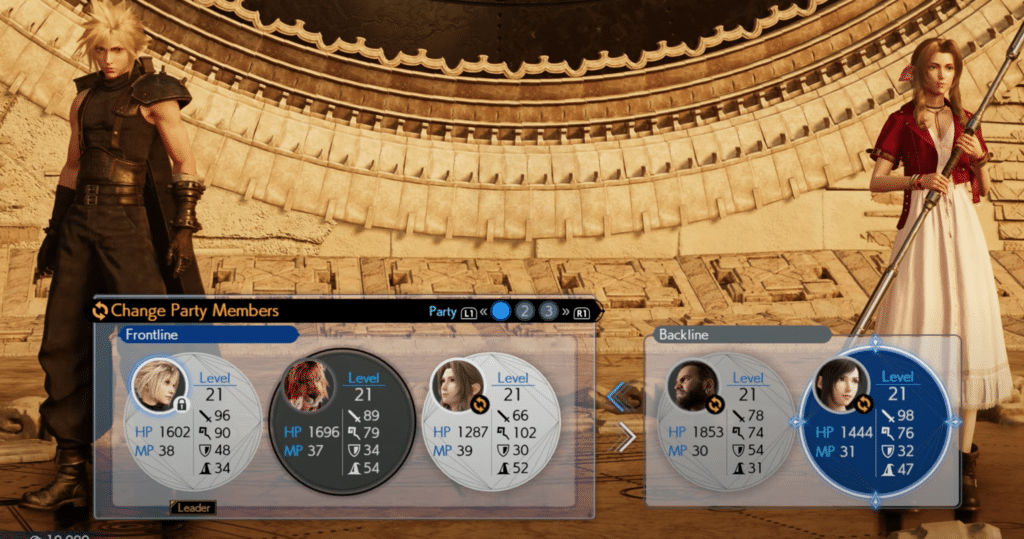
Over here you can see the 3 active party members under Frontline. The inactive ones can also be seen to the right.
Select the one you want to remove from your active party to switch around the members. After selecting a member, you can select one from the inactive members and that member will now be in your Frontline party.
You can have 3 different parties in the game, so try to make 3 that offer different playstyles. The 3 party system saves a ton of time by allowing you to switch between parties without opening up the Combat Settings.
ALSO READ: Final Fantasy 7 Rebirth: How to Play Sephiroth | Combat Guide