27 articles
One of the most dreaded things you don’t want to see is a “Matchmaking Error” when you just want to play. It completely kills the excitement of wanting to play a game, and it is even worse when you are trying to start a game with a friend.
The “Matchmaking Error” notification while playing Granblue Fantasy: Relink is something a lot of people have been complaining about recently. Here’s a quick solution on how to fix the “Matchmaking Error” code.
How to Fix “Matchmaking Error”
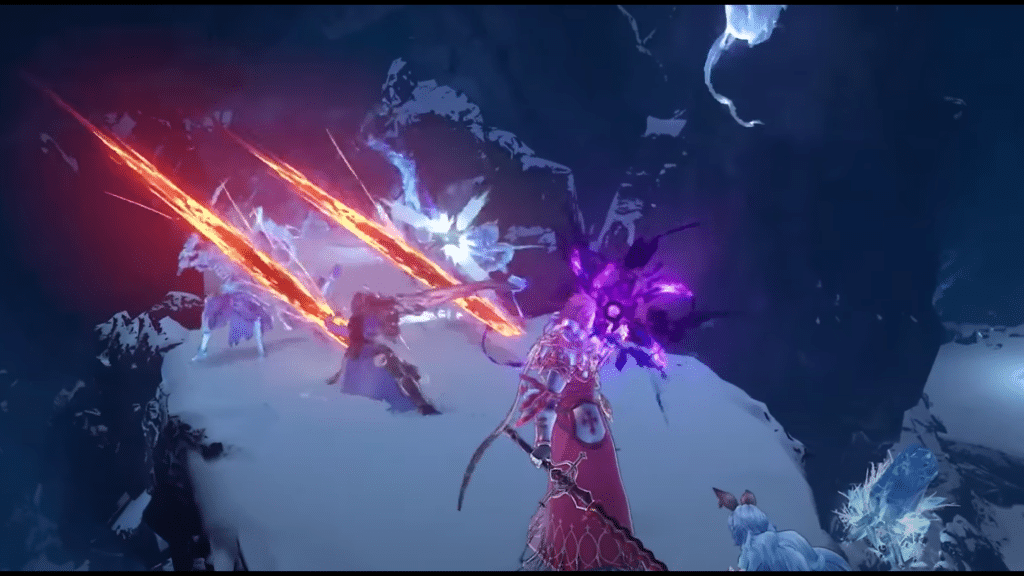
The error is extremely frustrating especially when you bought the expensive special editions for the game. The good news is that there are multiple solutions. There isn’t one exact solution that works for everyone. All of the following methods can fix the “Matchmaking Error” for you.
Check Your Internet Connection
Sometimes the issue might lie in your own connection. Generally, slow internet speeds or unstable net might disturb your connection to a game’s servers.
 Granblue Fantasy Relink: Is It a Gacha Game?Feb 11, 2024
 How to Fix Granblue Fantasy Relink Steam CrashesFeb 10, 2024
 Granblue Fantasy Relink: Best Skills to Learn at the StartFeb 8, 2024
For gaming purposes, having a wired connection is much better than Wi-Fi. If you do have a wired connection, make sure the cable is connected and working properly.
Restart Your Router/Modem
Sometimes something as simple as restarting your router or modem might fix connectivity issues.
When restarting your router, make sure you leave it off for a few seconds before turning it back on. Also, remove the power cable instead of just using the switch at the back.
Verify Game Files
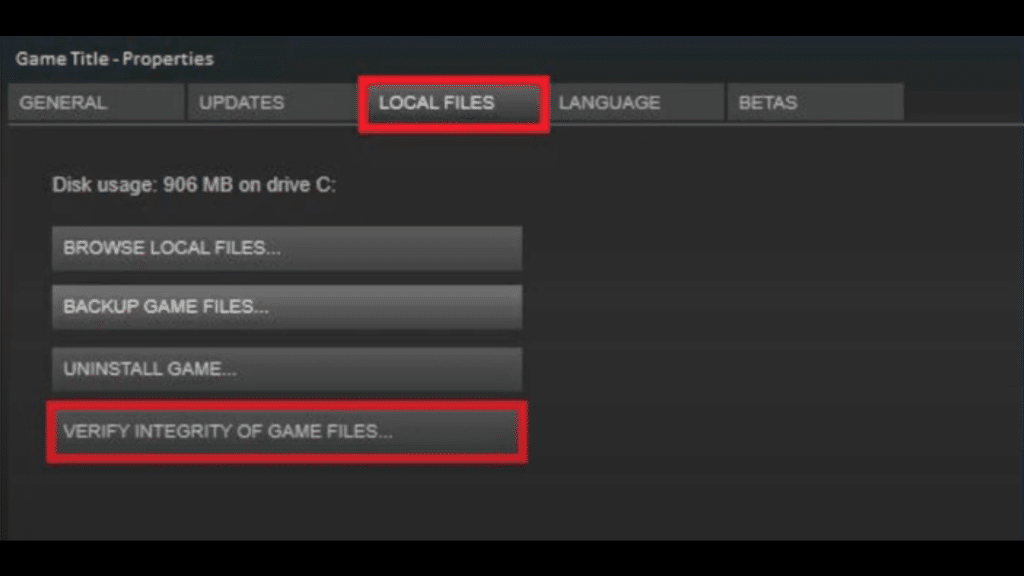
It’s always a good idea to verify your game files when facing a “Matchmaking Error”. You can do this by:
- Opening the Games properties
- Going to the “Local Files” tab
- Click on “Verify Integrity of Game Files”
Manually Restarting Your Game
When facing any kind of issue stopping your game from working, try manually closing the game and opening it again.
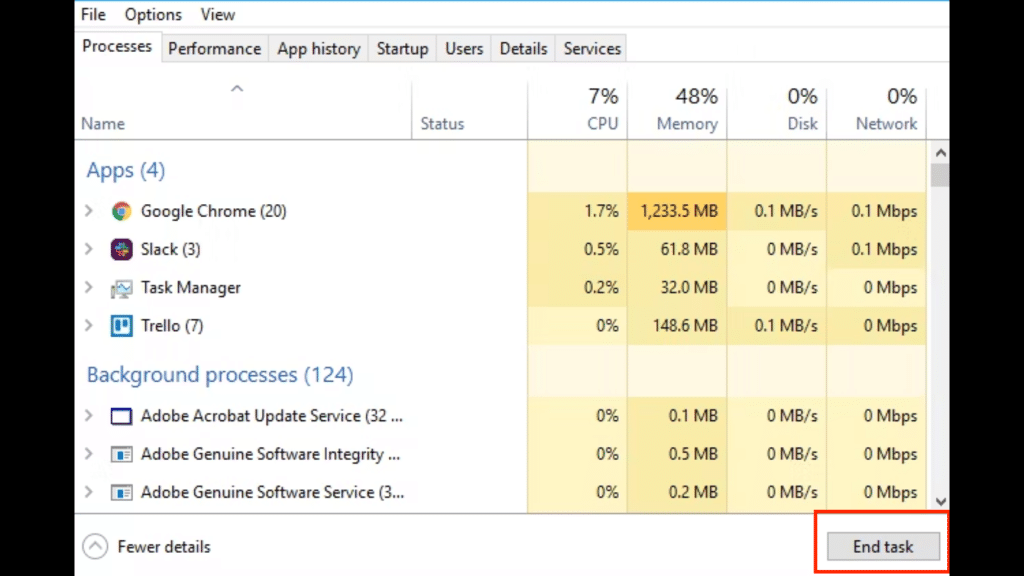
To manually close a game:
- Open up Task Manager on your PC.
- Look for Granblue Fantasy: Relink in the running apps and click on it
- Click on “End task” after selecting Granblue Fantasy: Relink
Doing this ensures that the game is not running in any way in the background.
If none of the solutions listed work for you, then you might have to contact Granblue Fantasy: Relink’s support team. The game is still very new, so connectivity issues are more common.
ALSO READ: Granblue Fantasy Relink: Complete Guide for Narmaya