174 articles
Master Chief finally returned to Fortnite, and you can even get an Xbox exclusive Matte Black style as an unlockable for him.
The basic process is fairly simple, too. You just need to link both your Epic Games and Xbox accounts together. Then, play a match of Fortnite on an Xbox system. There’s even a way to unlock the style without owning an Xbox Series console!
In this guide, we’ll give you a step-by-step guide on every possible way to get the Xbox exclusive Matte Black style for Master Chief in Fortnite.
How to Get Xbox Exclusive Matte Black Style for Master Chief | Fortnite
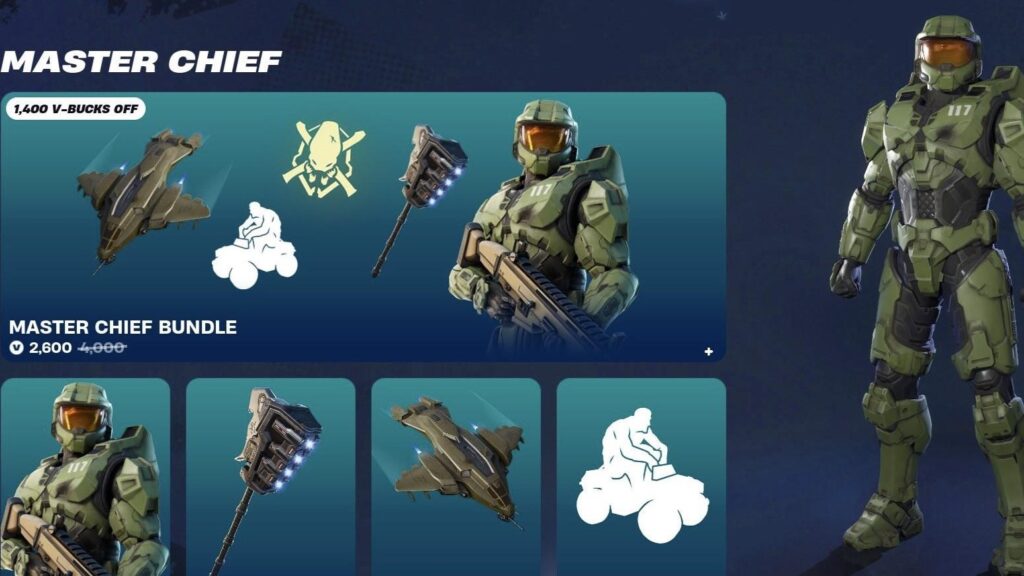
To get the Xbox exclusive Matte Black style for Master Chief, you must first purchase the Master Chief skin in Fortnite.
 How to Unlock & Create a Katana in LEGO Fortnite (Ninjago)Apr 2, 2026
 Survive The Horde Guide in FortniteMar 31, 2026
 Best Farming Loadout in Save the World FortniteMar 31, 2026
You can buy the skin for 1500 V-Bucks on its own currently. Alternatively, you can buy the Master Chief Bundle for 2600 V-Bucks to get the skin along with other Halo-themed goodies, such as the UNSC Pelican Glider.

After you get the Master Chief skin, you must connect both of your Epic Games and Xbox accounts. To do so, go to the official Fortnite website and click on the top-right corner to log in. Then click on your username in the top-right corner again and click on “Connect Accounts.”
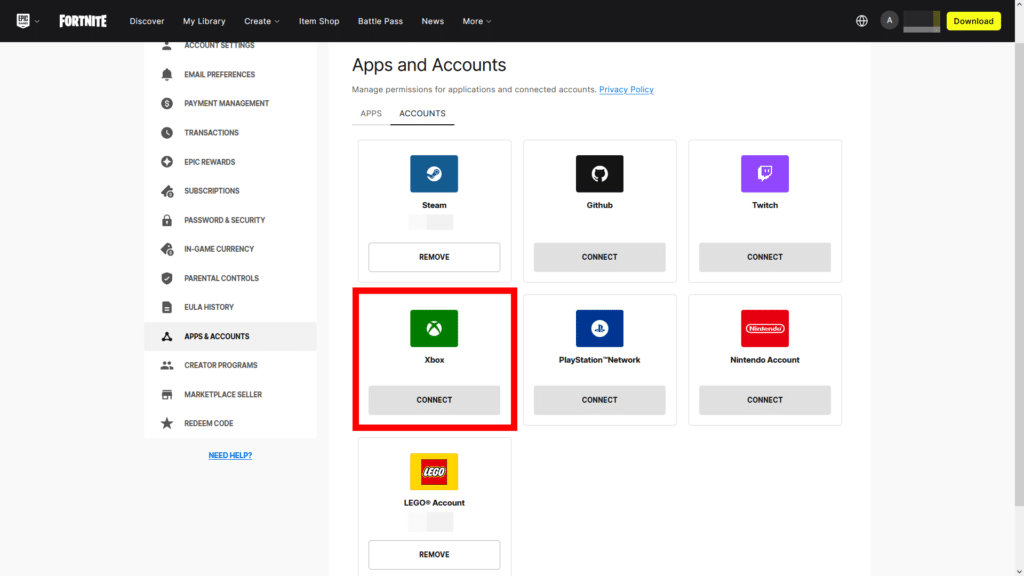
Then, simply look for Xbox on the new page and click on Connect. It will ask you to log in to your Xbox account. Do so and confirm linking both accounts together.
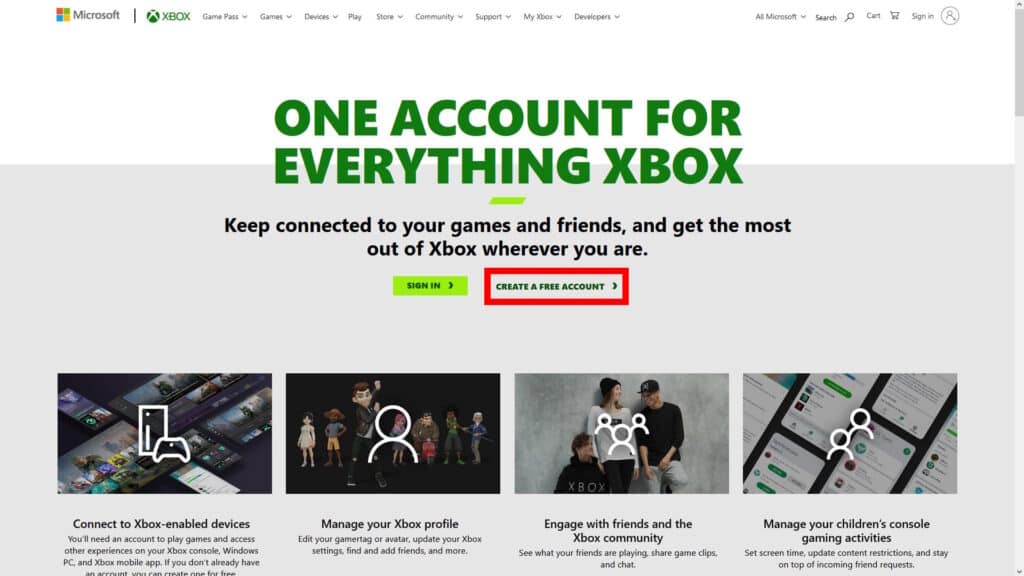
If you don’t have an Xbox account already, you’ll need to make one first. You can do so on the official Xbox Live website. Just click on “Create a Free Account” and follow the steps on the website.
The overall process is similar to how you could get Explorer Emilie and Mr. Dappermint by linking your Epic and LEGO accounts.
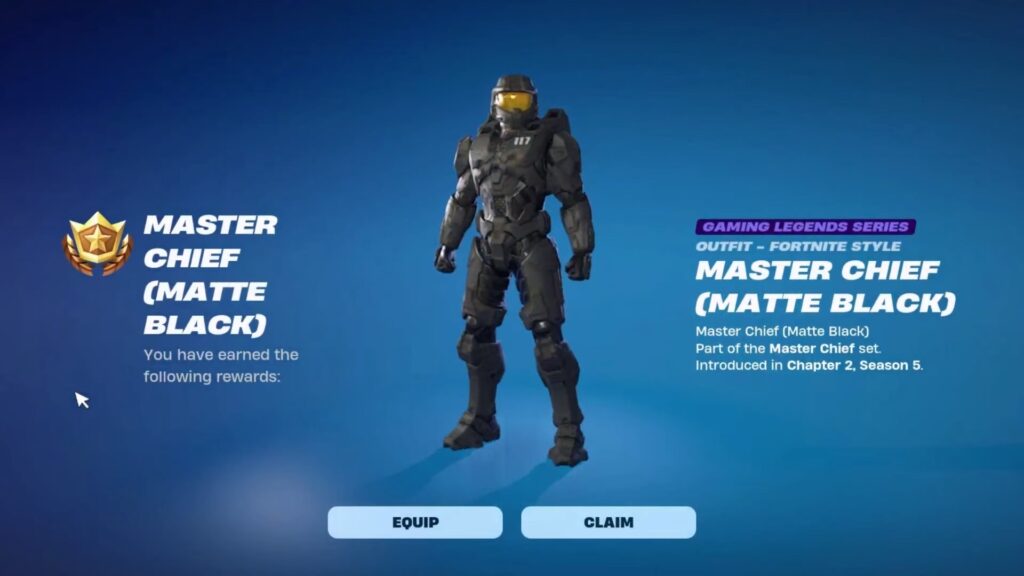
Now that both of your accounts are linked together, you simply need to play a match of Fortnite on your Xbox Series X|S. The Xbox exclusive Matte Black style for Master Chief will automatically unlock once you complete a single match in Fortnite. You don’t even have to get a Victory Royale, just playing it is enough!
Also, note that you can get the Matte Black style at any point in time as long as you own the Master Chief skin. There’s no time limit for it, so you don’t need to rush to get it right now.
How to Get Matte Black Master Chief Even Without an Xbox Series Console
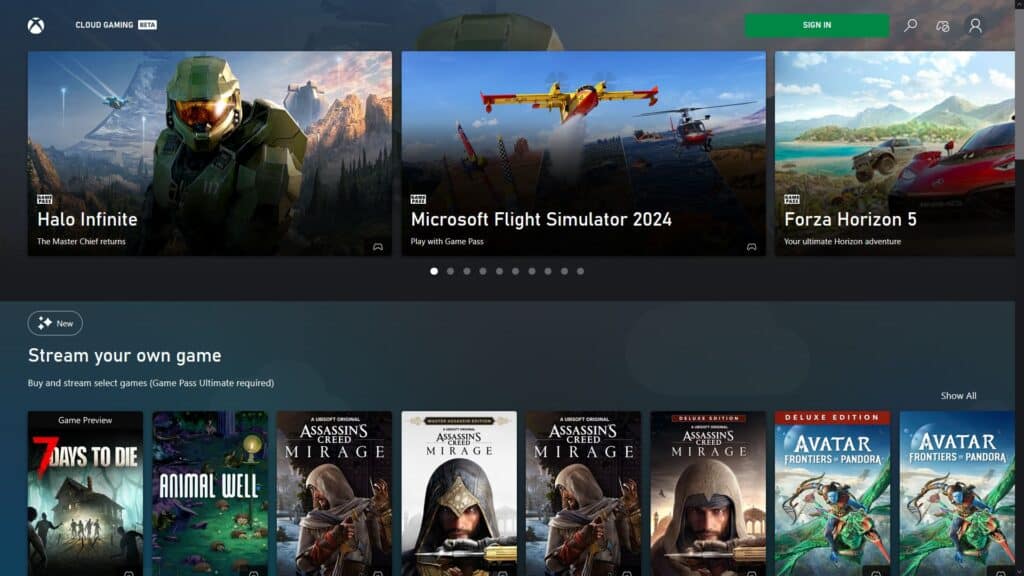
If you want to get the Matte Black Master Chief style even without an Xbox Series console, you can make use of Xbox Cloud Gaming. Just follow all of the steps we listed above first. Make sure to have an Xbox account that’s linked to your Epic Games account. Then, go to the official Xbox Cloud Gaming website.
The catch here is that Xbox Cloud Gaming isn’t supported in every region. If you don’t have an Xbox Series and live in an unsupported region, you’re sadly out of luck.
On the upside, you do not require a paid Game Pass subscription for this method! Xbox Cloud Gaming allows streaming free-to-play games without requiring a subscription, which includes Fortnite.
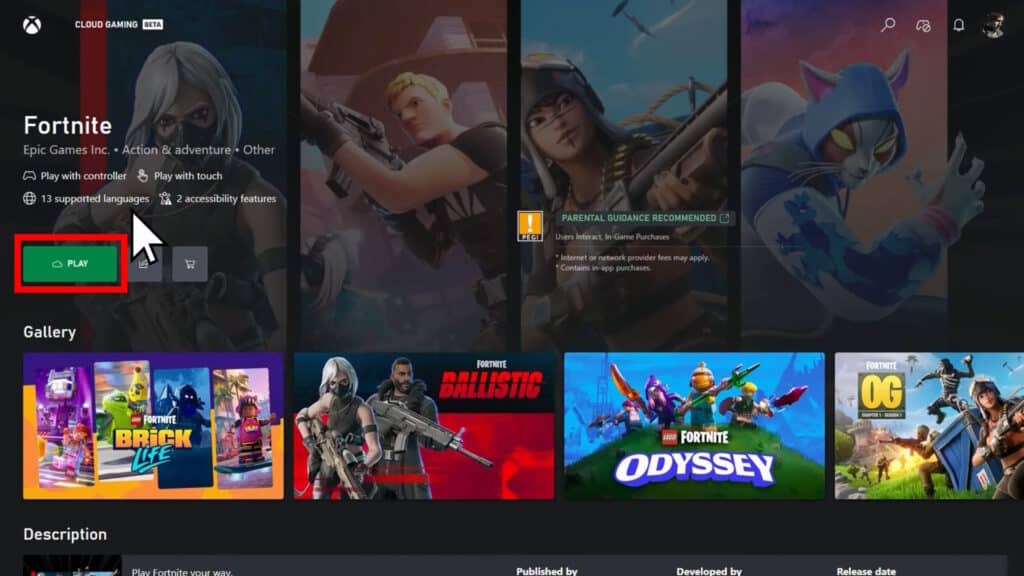
With all that said, look for Fortnite on the Xbox Cloud Gaming site and click on it. Then, click on Play to launch the game through Xbox’s cloud gaming streaming service. Complete a match like this and you’ll get the Matte Black Master Chief style, even if you don’t own any Xbox Series!
That’s everything there is to know about how to get the Xbox exclusive style for Master Chief in Fortnite. Whether you like the classic green Master Chief or prefer this slick black look, you gotta admit it’s nice to have more options.