174 articles
Thanks to a promotional event, you can currently get a free First Order Stormtrooper skin in Fortnite by simply linking your Epic Games and MyDisney accounts.
The process is fairly similar to a previous promotion that required you to link your LEGO account. Essentially, you just need to log into Epic Games and connect it with MyDisney. Do that, and you’ll automatically get the fancy new Stormtrooper skin! You get a regular and LEGO variant, too.
Read on and we’ll give you a step-by-step process so you can easily claim this skin.
How to Link MyDisney Account and Get the Free First Order Stormtrooper Skin | Fortnite
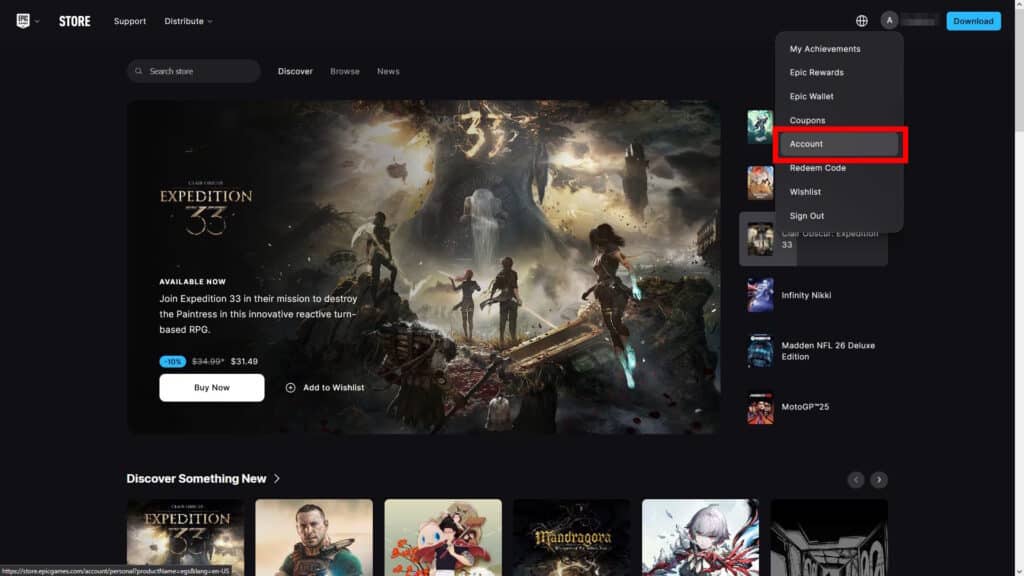
To start the linking process, go to the official Epic Games website and log into your Epic Games account. Then, click on your username in the top right corner of the site and select Account.
 How to Unlock & Create a Katana in LEGO Fortnite (Ninjago)Apr 2, 2026
 Survive The Horde Guide in FortniteMar 31, 2026
 Best Farming Loadout in Save the World FortniteMar 31, 2026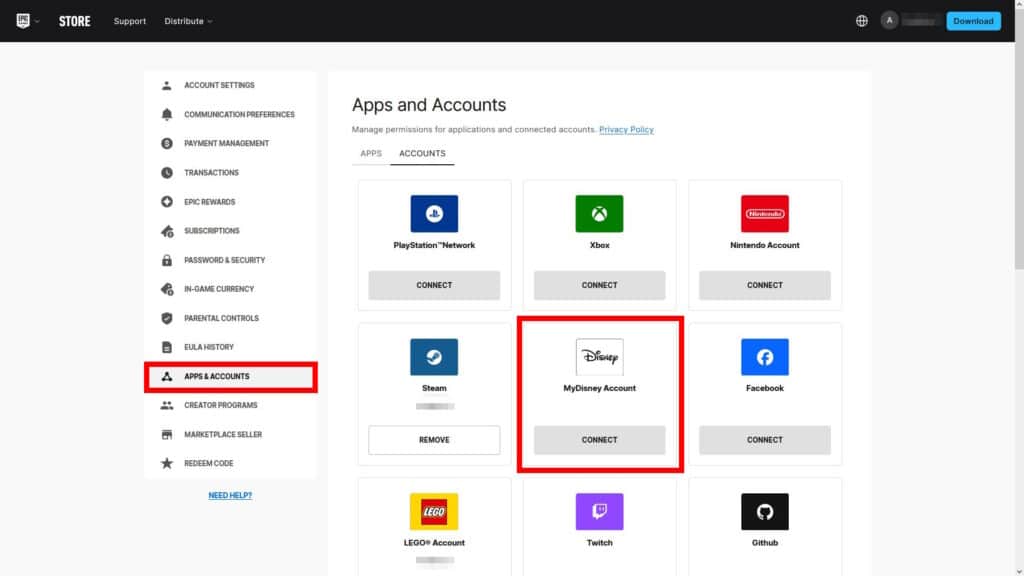
Once you’re on the Account Settings page, click on Apps & Accounts. It’s on the sidebar on the left, as shown above. Then, look for MyDisney Account and click on Link. It’s somewhere in the middle of the page, so it’s pretty easy to spot!
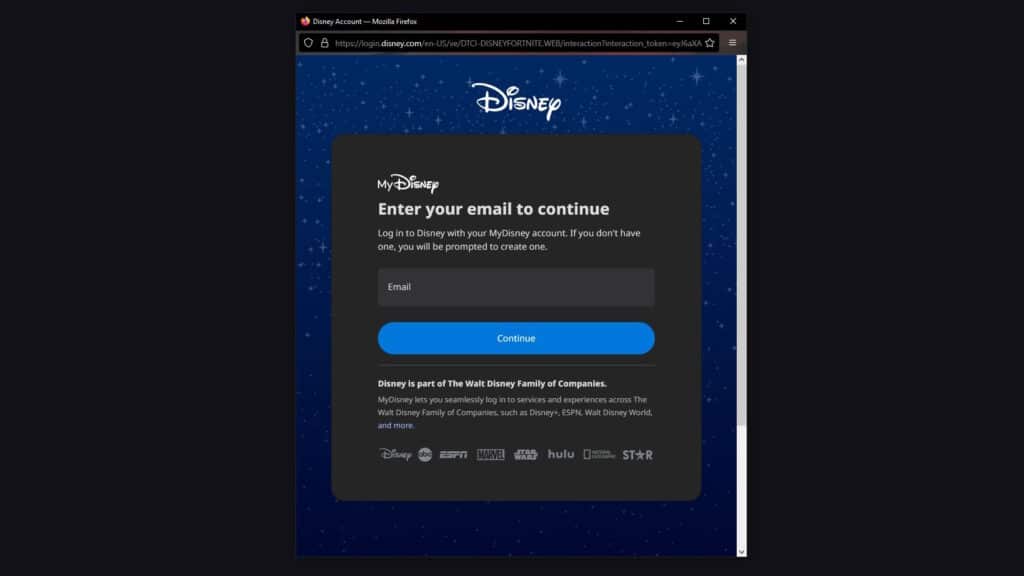
You’ll get a pop-up telling you to log in to your MyDisney Account. If you don’t have one yet, just follow the instructions on the page to create one. It takes just a couple minutes, so it’s no big deal if you don’t have an account yet.
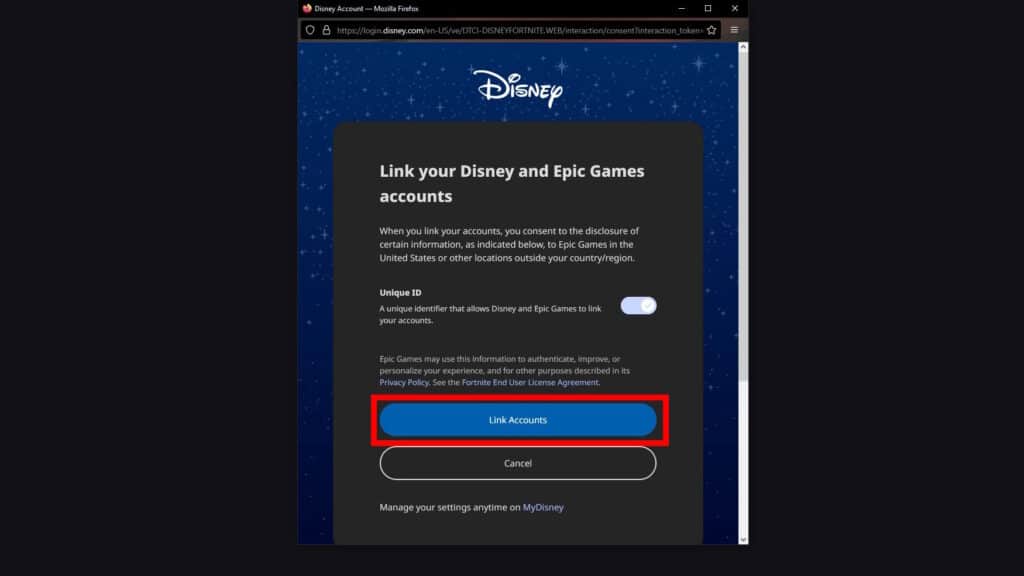
After you log in or create an account, you should see the pop-up above telling you about linking your Epic Games and MyDisney accounts. Just click on the big blue Link Accounts button and you’re all done here!
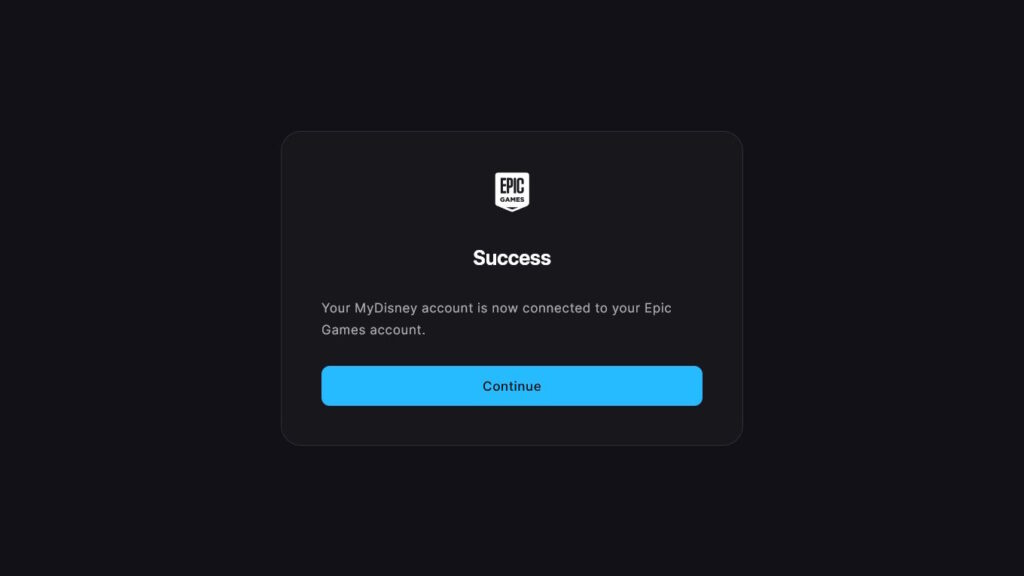
If everything went correctly, you now just need to launch Fortnite. You should see a rewards screen with the First Order Stormtrooper Skin as soon as Fortnite loads, confirming that you’ve linked both accounts.
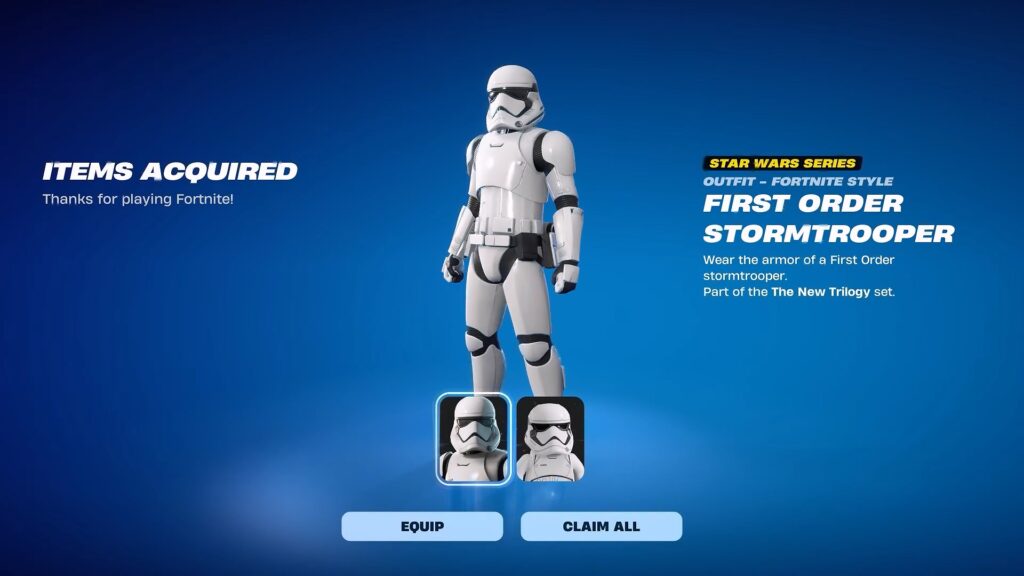
So, that’s all you need to know to link your Epic Games and MyDisney accounts together. Do note that sometimes the websites might be unresponsive and it might take some time for the skin to appear in the game. This usually means the servers are overloaded, so you just need to be patient.
This isn’t the only cross-account promo in Fortnite, either. You can also still get Explorer Emilie and Mr. Dappermint skins for free by linking your LEGO and Fortnite accounts.