82 articles
Zenless Zone Zero is an upcoming ARPG for which over 47+ million players all over the world are waiting. Its official release date is set for 4th July, 2024. And it will launch on PC, PS5 and mobile devices (iOS and Android).
The playable characters in Zenless Zone Zero are called Agents. There are multiple ways to power up your agents and make them stronger. I will go over each mechanism in this guide through which you can make your agents deal more damage.
Guide on Agent Development
The first and more important thing that can have a huge impact on your agent’s performance is their level. So, let’s get started with that!
How to Level Up your Agent
In the main menu of the game, click on the Agents button (located at the bottom of your screen). After that, select the agent you want to level up. Once you do, click on the green arrow icon which is marked in the image below.
 Zenless Zone Zero: Complete Pulchra Guide | Best Weapons, Disk Drives & TeamsMar 15, 2025
 Zenless Zone Zero: COMPLETE In-Depth Soldier 0 Anby GuideMar 15, 2025
 Zenless Zone Zero: Icedrift Hollow Surface GuideJul 26, 2024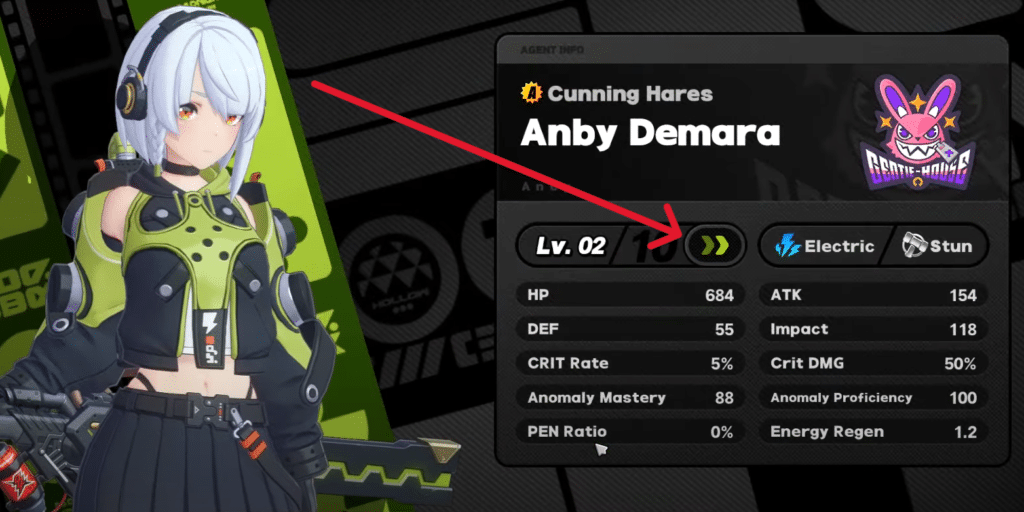
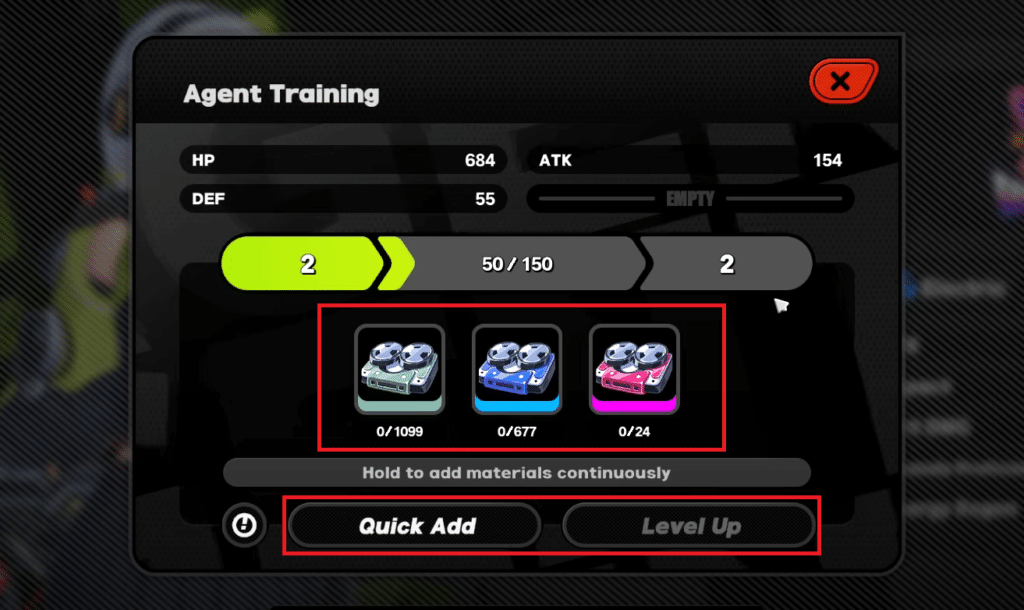
After you do that, you will be greeted with the menu shown below. Here, you can manually add the materials or simply press on Quick Add. Once you have selected the amount of materials you want to spend, click on Level Up.
How to get Investigator Log
The materials that you use for leveling up your agent are called Investigator Log. You can obtain these materials through combat simulation.
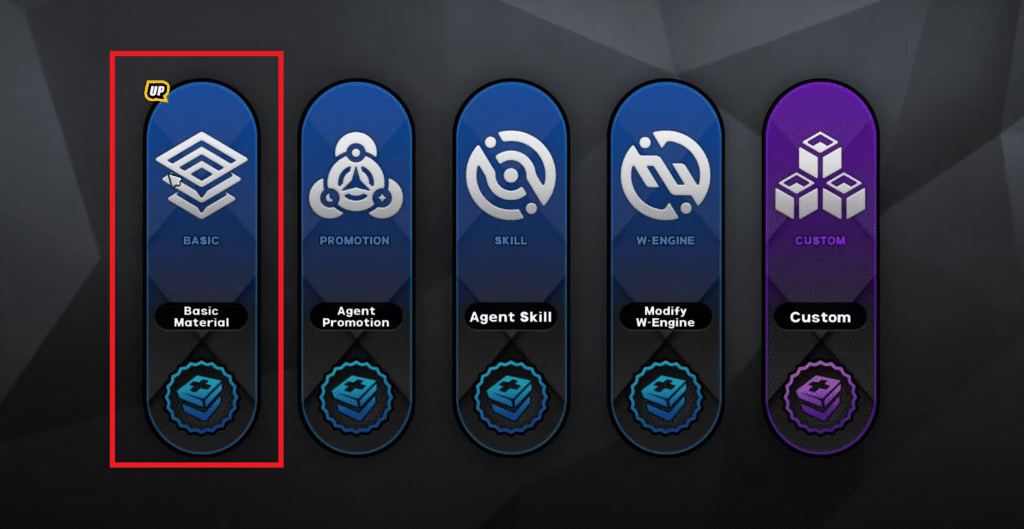
To do so, first click on your VR device and then select Combat Simulation. After that, click on Basic Material which you can see marked in the image below.
Once you have done that, select the enemies you want to fight. Different enemies will drop different stuff. You can see what you will be getting on the left side of your screen
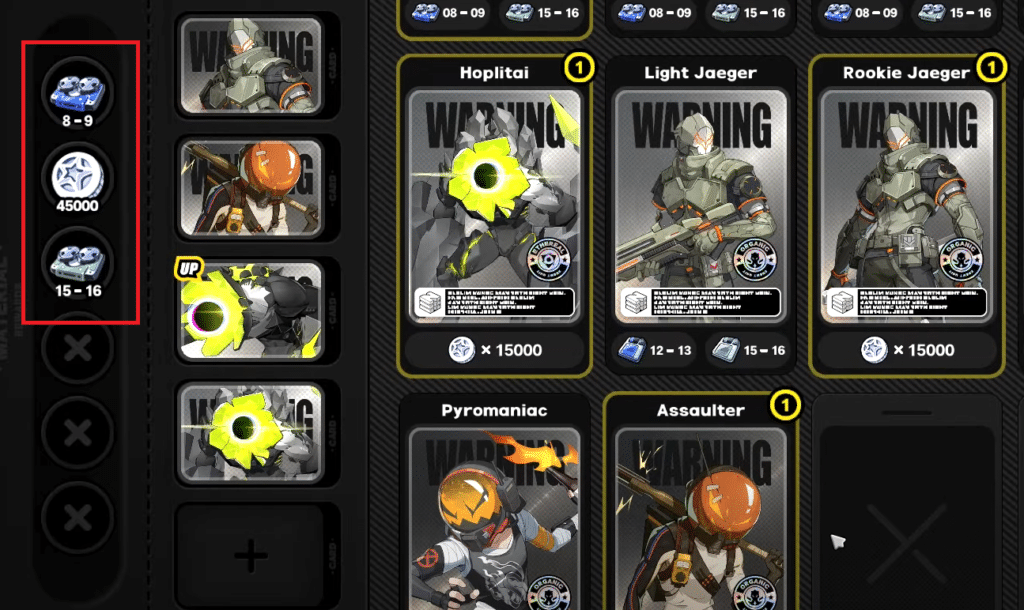
After you have selected the enemies, simply press on Create. Each simulation will cost battery and the amount of battery cost depends on the number of enemies you have selected. You can also change the difficulty of the combat simulation if you want to. But remember that it also affects the drops.
TIP: Everyday in the coffee shop, you can drink coffee which will give you battery and increase the drop rate of combat simulations.
Agent Promotion
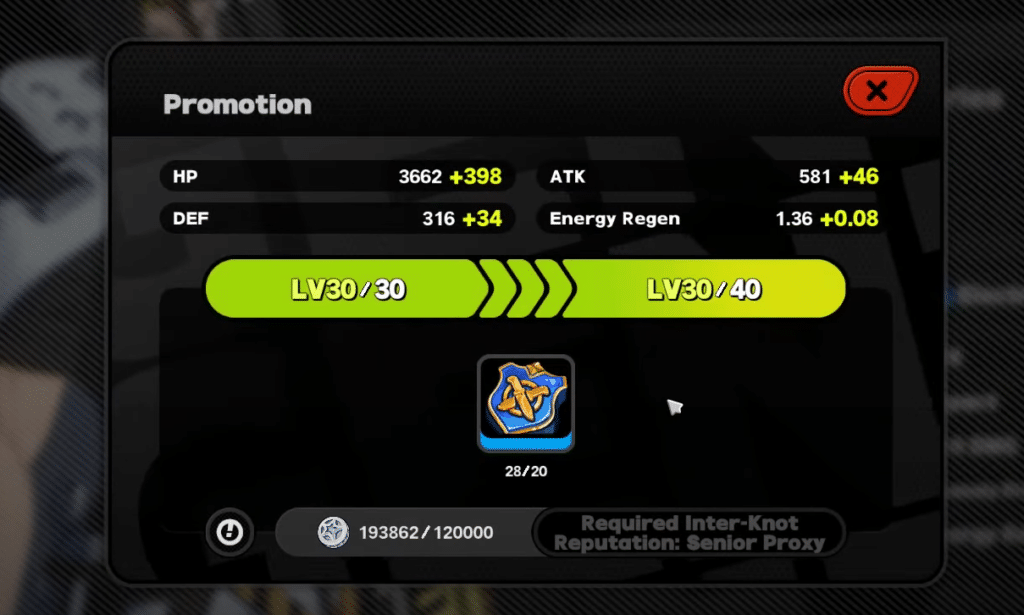
Once you have reached your current agent level cap, you will need to promote them. To do so, you will need one of the 5 types of seals depending on your agent specialty.
The 5 types are: Attack, Defense, Support, Stun and Anomaly. You can obtain seals from Agent Promotion which is located under the Combat Simulation menu of your VR device.
Other than that, you will also need to complete specific Inter-Knot quests. You can access Inter-Knot from the main menu of the game. Once you fulfill all the requirements, you can promote your agent. Each promotion increases the level cap by 10.
Skill Enhancement
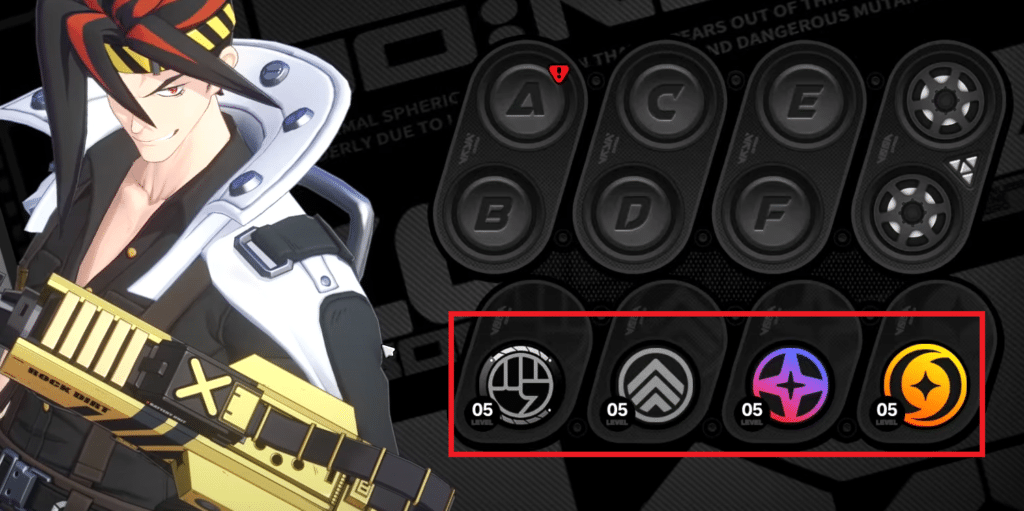
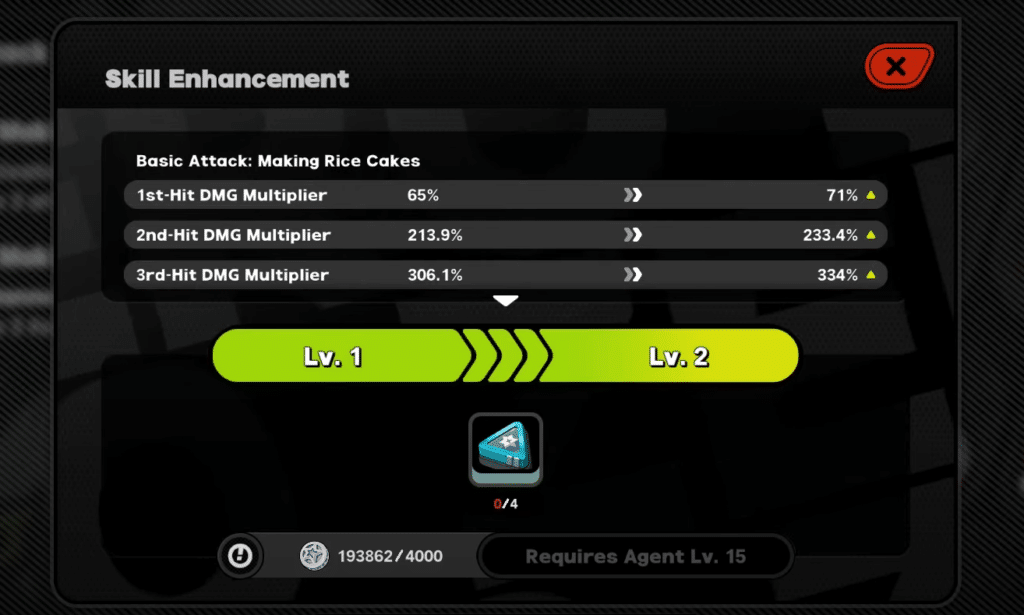
Each agent will have specific skills. You can also level them up which will increase their effectiveness. Your agent needs to be at certain levels in order to enhance your skills.
Other than that, you will need specific materials for enhancing your skills. You can get these from Agent Skill (located under Combat Simulation of the VR device).
Agent Profile
One other way through which you can make your agents powerful is through Agent Profiles. You get Agent Profile when you get a duplicate of your agent from one of the banners (standard or exclusive).
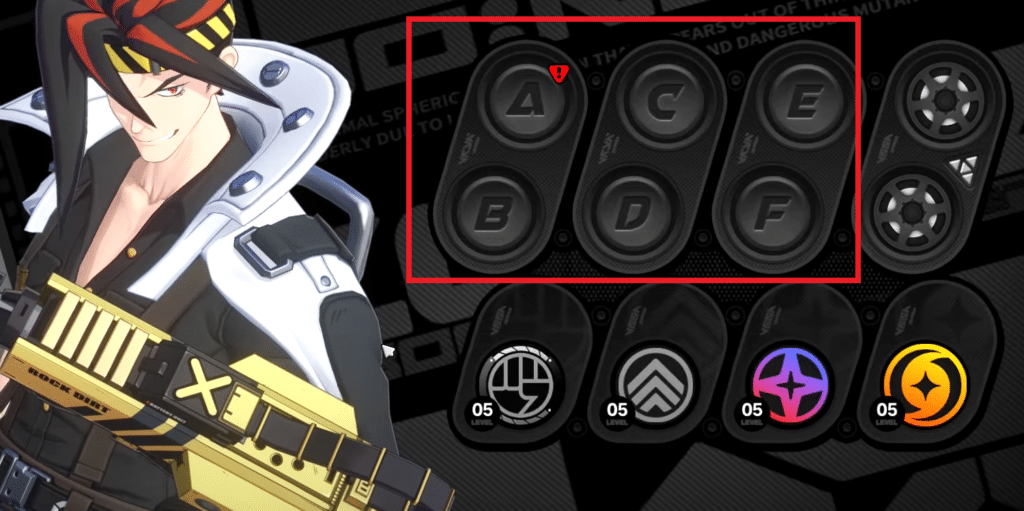
There are 6 slots named from A to F in which you can place your Agent Profiles. They are marked in the image below.
Equipment
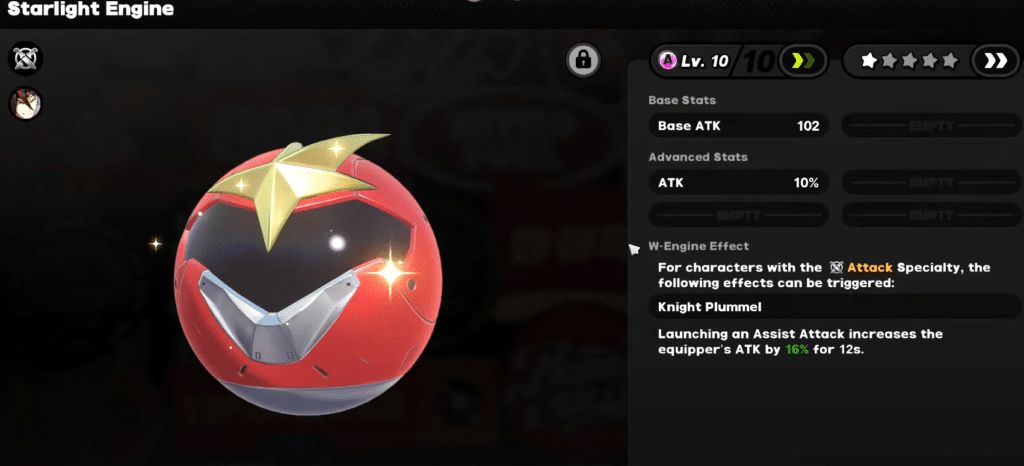
Equipment also plays a vital role in how your agent performs. This includes Discs and the W-Engine. There are 6 slots in which you can equip Discs and 1 slot for equipping W-Engine.
You can also upgrade your W-Engine by using the materials required for it. You can get these materials from Modify W-Engine which is located in the Combat Simulation menu (of your VR device).
If you want to obtain W-Engines or agents then it is important that you learn about the gacha system of this game. We have a dedicated guide available on it!