 19 articles
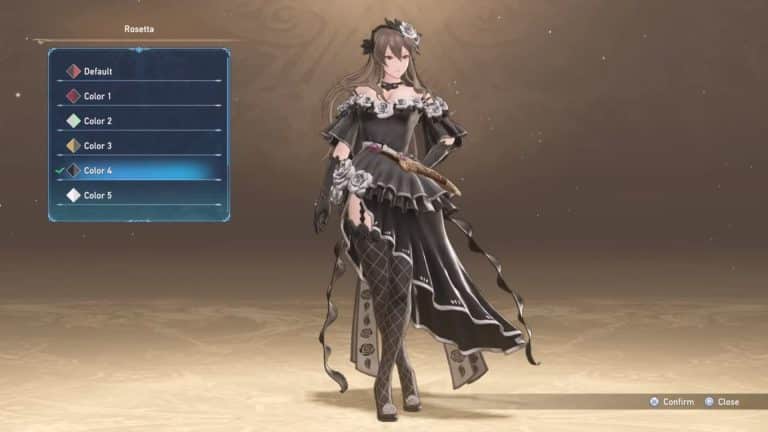
There are a variety of alternate colors you can unlock in Granblue Fantasy: Relink, which can give the character a unique alternate look.
Just like in fighting games, these alternate color palettes provide different flavors of your favorite character. Plus, they’ll help make you stand out in online multiplayer!
In this short guide, we’ll tell you how to unlock all of the alternate colors in this game.
How to Unlock Colors
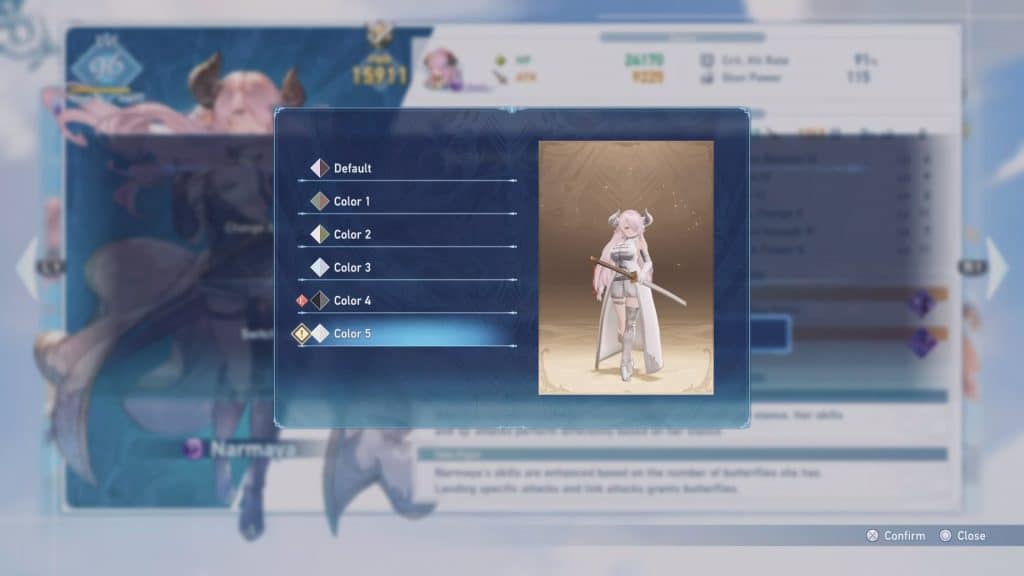
Most of the colors currently in the game are unlocked simply by progressing through the story, though some of them are reserved until you get pretty far into the endgame.
 The Best DPS Character in Granblue Fantasy RelinkFeb 10, 2024
 Granblue Fantasy Relink: How to Forge WeaponsFeb 5, 2024
 Granblue Fantasy Relink: How to Get Golem FingerFeb 5, 2024
Thankfully, colors unlock in sets. That means, unlocking Color 4 will unlock it for every single character in the game at the same time. No need to hunt down specific colors for specific characters!
With all that said, here are the unlock conditions for all colors in Granblue Fantasy: Relink:
- Colors 1, 2, and 3 – These three will unlock for offline use as soon as you beat the game’s story mode in the default Normal difficulty. They can be used online from the get-go, though!
- Colors 4 and 5 – Unlocked once you reach Hard and Extreme difficulties as part of the endgame. Claim them from the Trophy section in Lyria’s Journal.
- Colors 6, 7, and 8 – Purchase as DLC. Included with the Deluxe Edition of the game, so you already have them if you bought that edition.
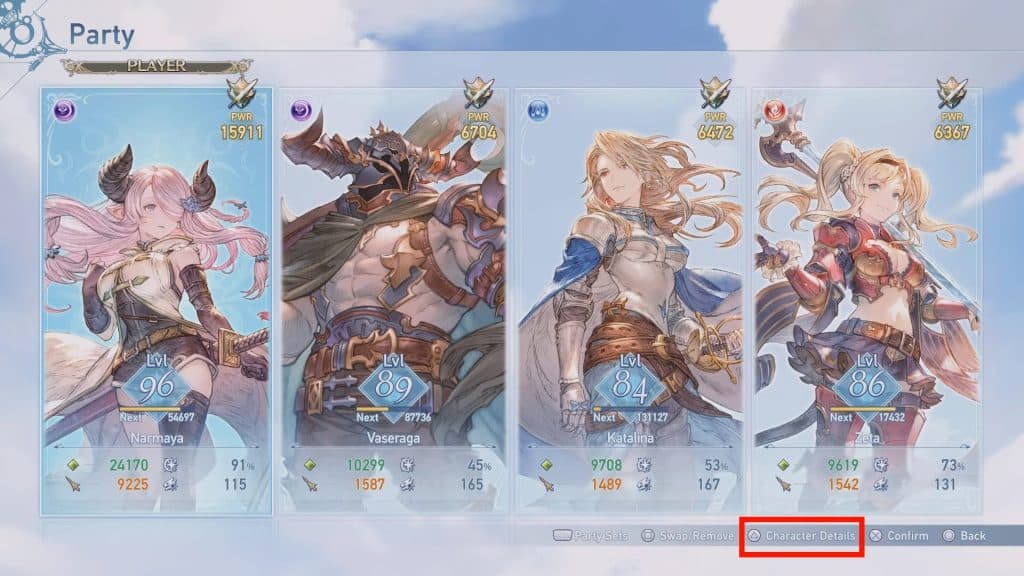
To use these colors, check your Party in the pause menu and choose the character you want to customize.
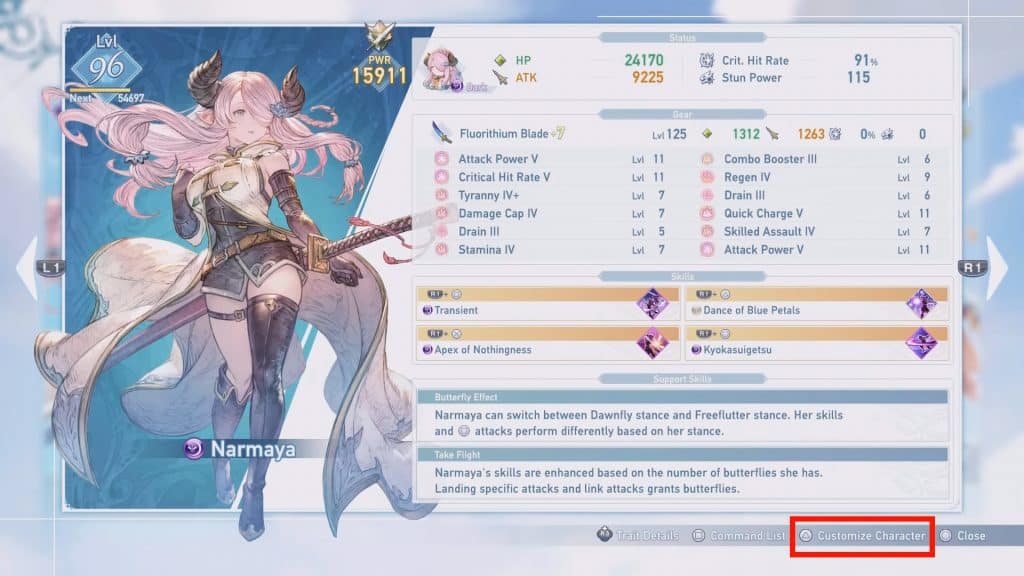
Press Triangle (PlayStation) or Y (Xbox) to view the Character Details, then press it again to open the Character Customization menu.
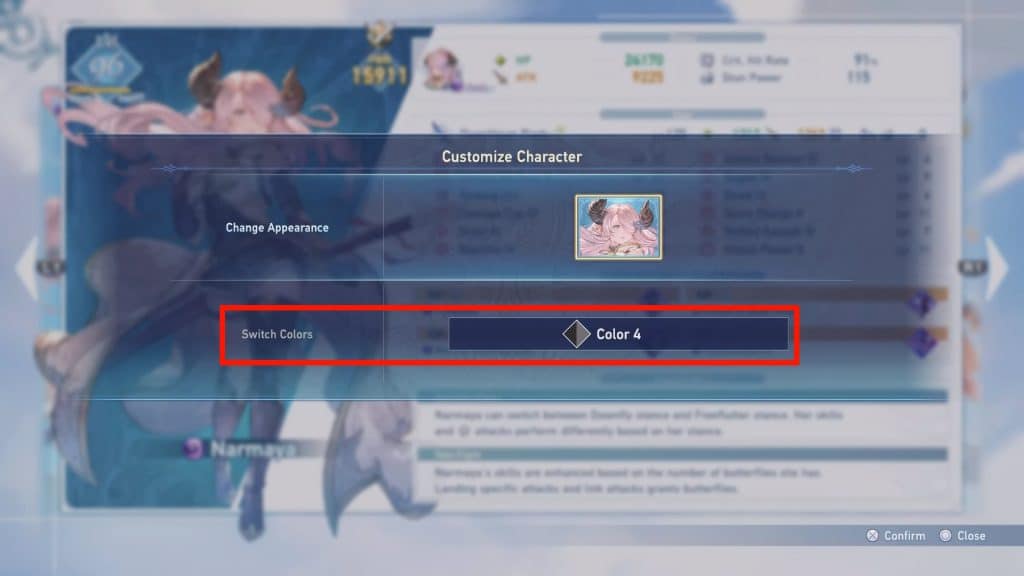
Once there, simply select Switch Colors and pick whatever color palette you like the most. You can change colors on a per-character basis, so you can set everyone to your favorite palettes!
But there you go, that’s all there is to unlocking the alternate colors in this game. Surprisingly simple, right?