 28 articles
Final Fantasy 7 Rebirth has a large number of options you can modify to your liking, but there are some settings that are simply the best for most players to use.
Things like Combo Targeting and Lock-On Controls can feel very off with the default settings, so it’s a good idea to change them as soon as you boot the game.
In this guide, we’ll go over the most important settings to change what we personally recommend you use.
Best Settings to Use | Recommended Important Settings
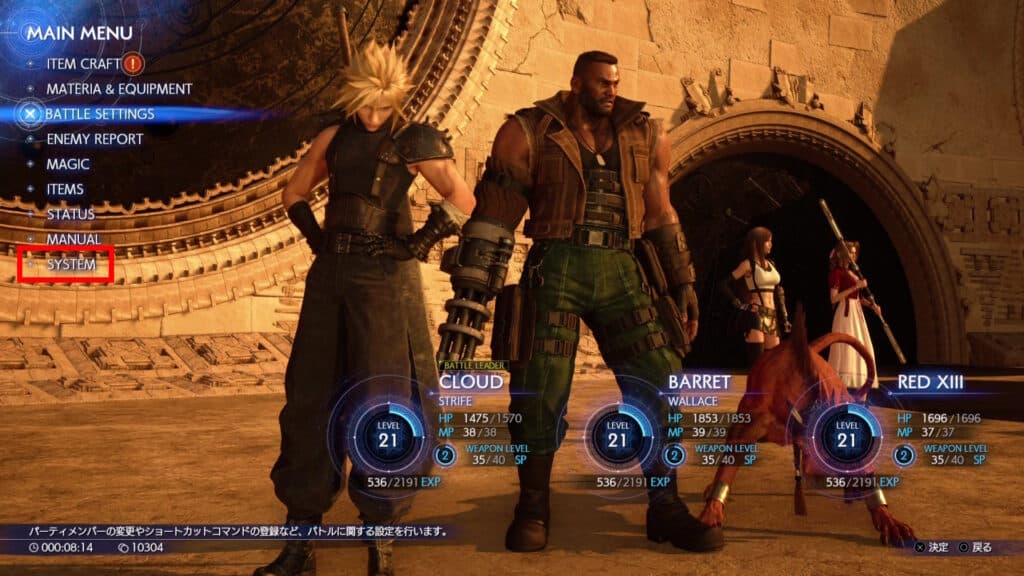
You can change settings by selecting Options with the System menu whenever you pause in-game. You can only do it out of combat, however, so keep that in mind!
 Final Fantasy 7 Rebirth: All Weapons LocationsMar 3, 2024
 Final Fantasy 7 Rebirth: How to Defeat Grasptropod Mar 2, 2024
 Final Fantasy 7 Rebirth: How to Get All SummonsMar 1, 2024
Nonetheless, these are our recommendations for settings:
- Swap Guard & Command Shortcut Buttons – By default, Guard is on R1 and Shortcut is on L1. This is the same as in Final Fantasy 7 Remake, no issue there!
- However, this is the opposite of some other recent action JRPGs, such as Granblue Fantasy: Relink. So, if you’re used to how other games do it, make sure to Enable this setting.
- Combo Targeting – By default it’s set to Fixed, which prevents you from turning mid-combo. This can be extremely limiting when fighting multiple enemies, however, so we recommend setting it to Free.
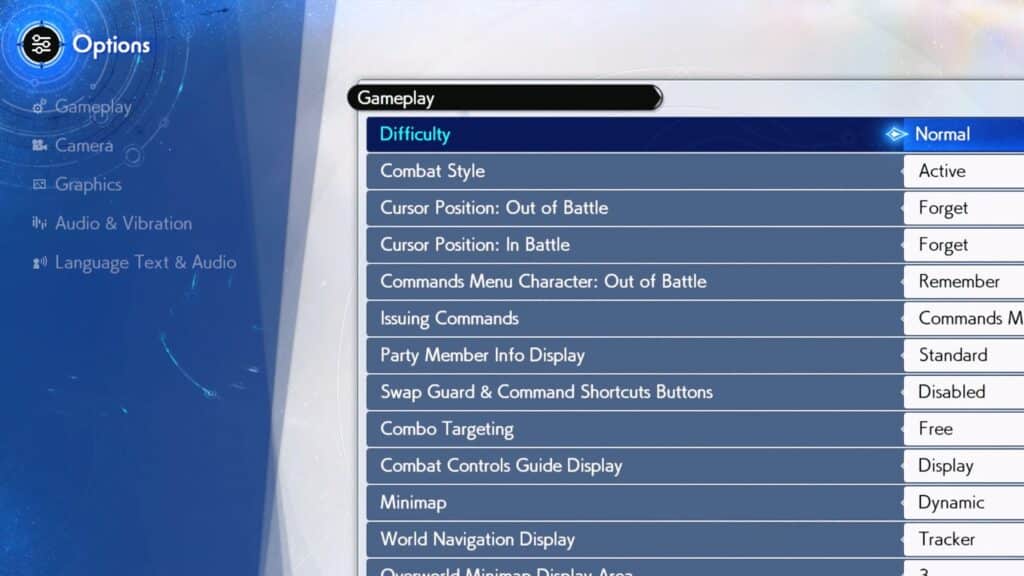
- World Navigation Display – Set to Minimap by default. Now, this is going to depend on preference, but we find that the compass-based Tracker system actually works better for exploration than the minimap.
- Terrain Action Guide – It’s off by default, but we recommend setting it to On. It will subtly let you know which obstacles you can climb as you explore!
- Completed Assignment Guidance – Set it to Off to prevent MAI from repeating dialogue whenever you replay an Assignment. Great to cut down on obnoxious chatter and unwanted advice…
Best Lock-On Settings | Don’t Fight the Camera!
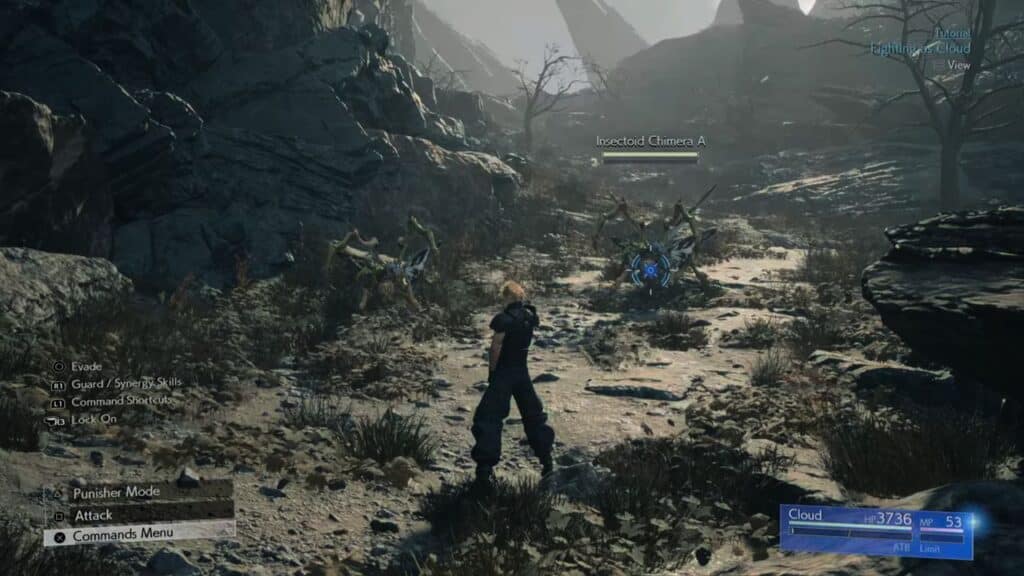
- Lock-On Controls – Setting this to “Menu Controls & Auto-Camera” is highly recommended. Otherwise, you will be unable to use the Right Stick to move the camera while locked on.
- Lock-On Switching – It’s highly recommended to set this to “Direction Input.” This will make it so that you change lock-on targets based on their position in the game’s world.
So, there you have it, those are the best settings that we recommend you use. Any settings we didn’t mention are going to depend entirely on your preference. That’s just how it is!
However, the ones mentioned above are the most impactful and what the vast majority of players would prefer.