162 articles
The Dockmaster’s Detector is a new gadget added to ARC Raiders as part of the Riven Tides update. It is essentially a metal detector that you use during the Beachcombing map condition on the new Riven Tides map to scan the shoreline and dig up buried loot.
The loot range is pretty wild. You might pull out a weapon case, crafting materials, or new trinkets for the Avian Alarm project. You might also dig up a bomb and have to disarm it in time. In this guide, I will cover exactly where to get the Dockmaster’s Detector and how to use it without getting yourself killed in the process.
How to Get the Dockmaster’s Detector
To get your hands on the Dockmaster’s Detector, you need to complete the “Shoring Up Defenses” task in Riven Tides. It is offered as the Granted Item reward for completing it.
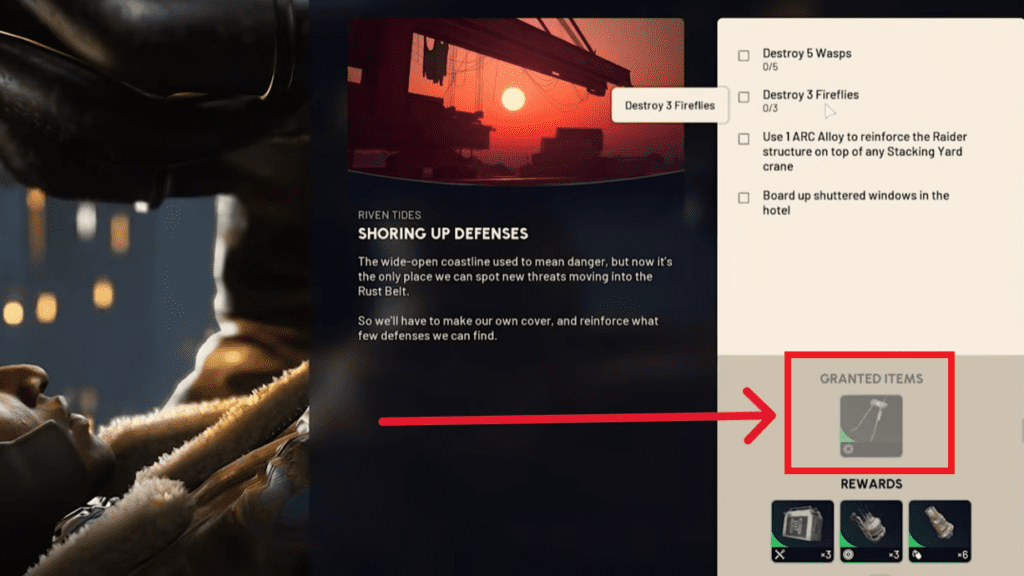
On top of the task reward, you can also find the Dockmaster’s Detector as a random drop throughout Riven Tides by looting containers, drawers, and other interactables as you explore the map. It is not a guaranteed find this way but it is worth keeping an eye out for one during regular runs.
 Hotel Panorama Puzzle Solution in ARC RaidersApr 30, 2026
 ARC Raiders: Where to Find Turbine CompressorApr 30, 2026
 How to Lay a Bird Trap / Start Avian Alarm in ARC RaidersApr 29, 2026
One thing worth knowing before you head out with it is that the Detector has 100 durability. It will wear down with use over time and eventually break if you are not paying attention to it. The good news is that repairing it only costs a couple of Batteries so it is not expensive to maintain. Just make sure you keep an eye on the durability bar and repair it before it breaks on you.
How the Dockmaster’s Detector Works
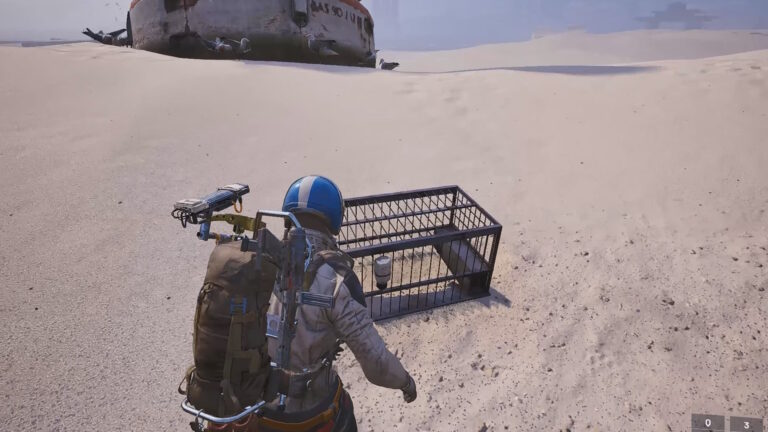
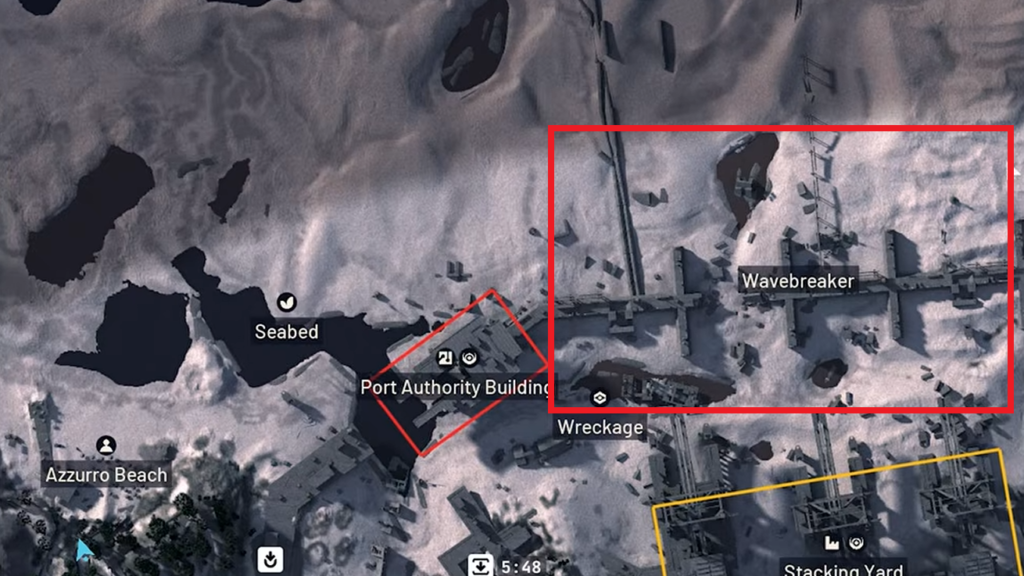
To use the Dockmaster’s Detector, you first need to place it in one of your Quick Use slots. Next, drop into the Riven Tides map, particularly during the Beachcombing map condition. After that, head to a beach area and pull out the Detector. The best spot to use it is the beach near Wavebreaker, which I have marked on the map below.
With the Detector out, start moving around the beach until it begins blinking orange. This means there is buried loot somewhere nearby. Keep heading in that direction and pay attention to how the light behaves as you move. It will start flashing more rapidly and shift to green as you get closer to the exact spot. Once you are right on top of it the light will stop blinking entirely and a dig spot will be revealed on the ground in front of you. You will get a prompt on the sand saying “DIG“. Interact with it to start digging.
After digging you may pull out a single item or a container holding multiple items. Most of what you find will be fairly standard loot but every now and then you will get lucky and dig up something genuinely useful.
One thing to watch out for is mines. You can dig one up instead of loot and when that happens you need to disable it quickly before it goes off. Do not panic when it happens. Just act fast and disarm it before it blows.
That’s It
The Beachcombing map condition is one of the more unique additions to ARC Raiders and the Dockmaster’s Detector makes it a lot more rewarding once you know how to use it properly. The beach near Wavebreaker is consistently one of the better spots to run it and with a bit of luck you can pull some solid loot out of a single raid.
Just keep the Dockmaster’s Detector repaired and stay aware of your surroundings since the open beach leaves you exposed to other raiders. If you are working towards completing the Avian Alarm project, check out my guide on where to find Turbine Compressors for the project.