 6 articles
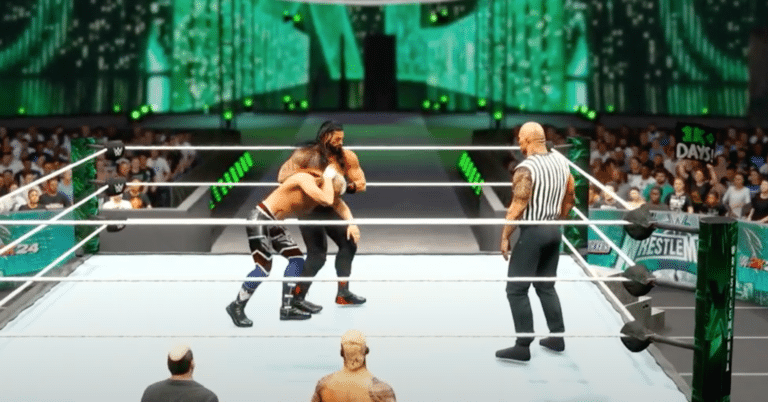
Alongside being a well-known movie star, the Rock is also one of the most iconic WWE wrestlers of all time. The main roster of WWE 2K24 does feature The Rock, but that is only one version of his illustrious career.
Luckily, there is a way to get more recent or if you want, older, versions of The Rock. We will be looking at how you can get other versions of The Rock in WWE 2K24.
How to Get The Rock
Wrestlers that are not a part of the main roster will need to be downloaded. You can download a variety of different wrestlers that were created by the community straight through the game.
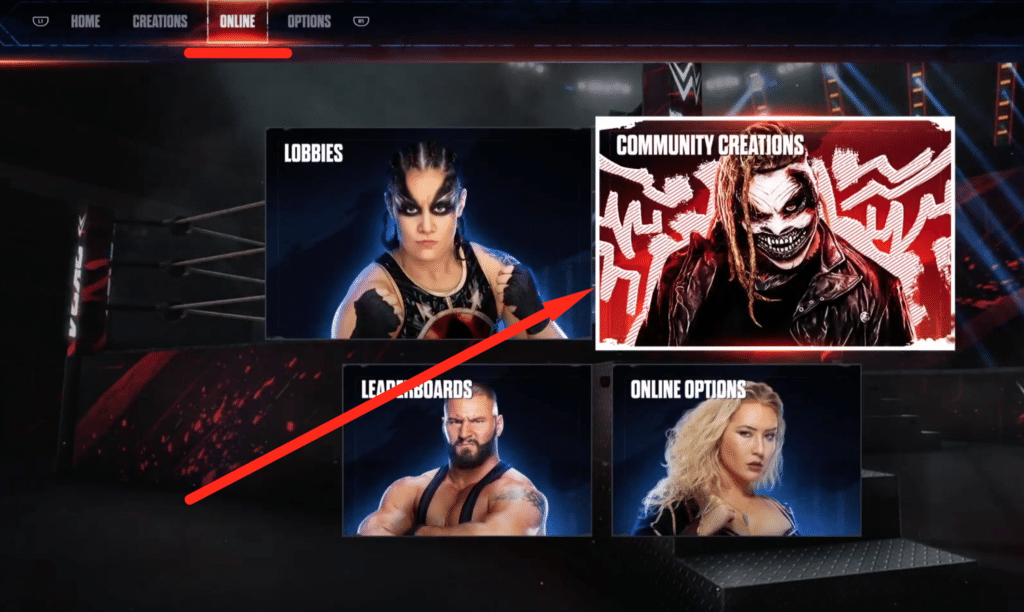
To get The Rock, head on over to the Online section in the main menu. From there you will need to select the Community Creations option. After clicking on Community Creations, select Downloads.
 WWE 2K24: Controls Guide | Moves, Finishers, CombosMay 15, 2026
 How to Carry Opponents in WWE 2K24Mar 7, 2024
 WWE 2K24: How to Get Started in MyFACTIONMar 7, 2024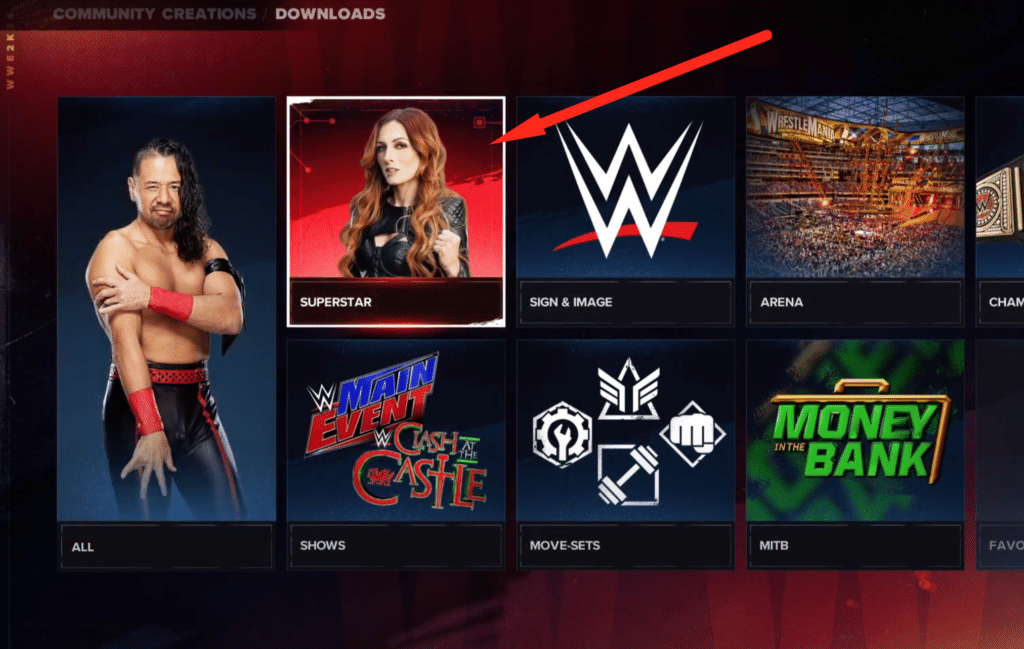
The Downloads section will show you everything that you can download in the game. WWE 2K24 has a lot of different customization features that allow custom creations. For wrestlers, you need to select the Superstar option.
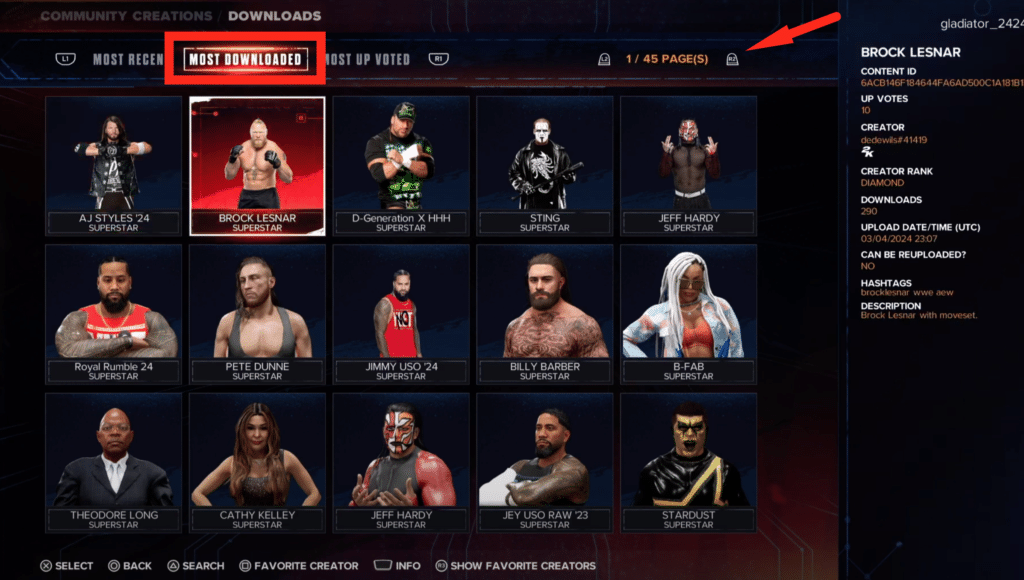
Once you get to the Superstar downloads section, you will be able to see all the different wrestlers created by the community. You can filter the wrestlers based on the most popular or upvoted ones.
Other than that you can also search for a specific wrestler. So for The Rock, you can use the search option to find him. Upon downloading The Rock from here, you can find him when you go to the character selection screen.
ALSO READ: WWE 2K24: How to Unlock Elite John Cena